When the alarm sounds, you know who’s in the building.
See the storm or wildfire before it reaches you, reach every staff group in seconds, pull up everyone checked in on any phone, and hear the moment a banned visitor tries to check in.
- Feeds checked every 5–15 minutes
- Alerts by text, email, and push
- Included with every plan
See what leadership and safety teams see
Analytics, scheduled reports, PBJ hours, mass-alert templates, and the Emergency Hub across every building.
Know what’s coming before it reaches your building
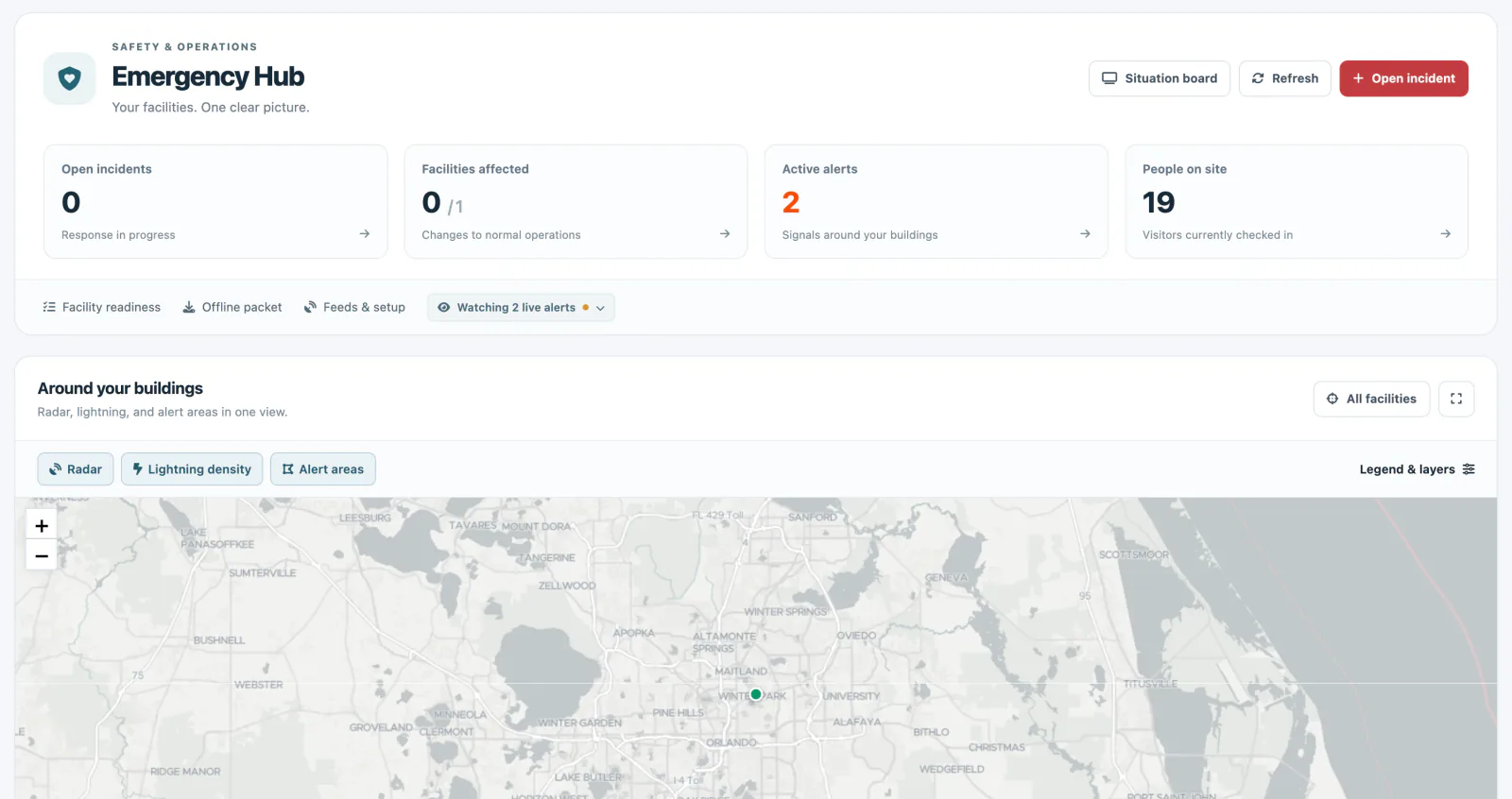
Every building is pinned on a map. ArrivSure checks national feeds every 5 to 15 minutes and tells your managers when a warning, wildfire, or storm is close, with what to do for residents. When it’s serious, open an incident with a ready-made hurricane playbook.
- Weather warnings, hurricanes, wildfire and smoke, air quality, river levels, and lightning near each building
- What to do for residents, right in the alert
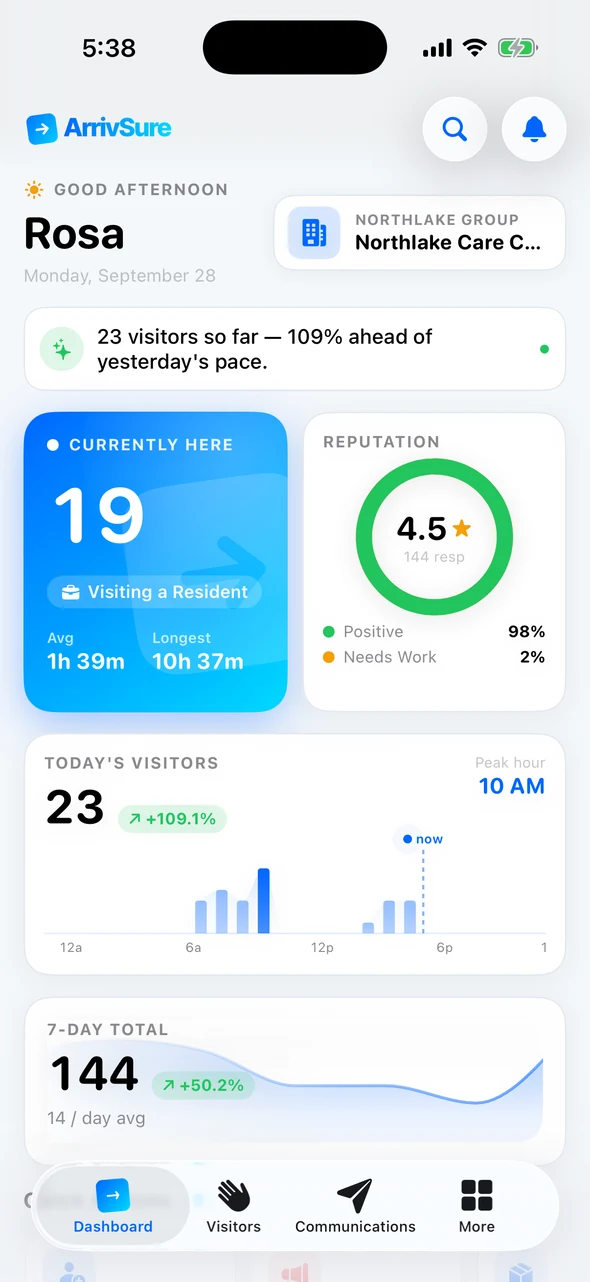
- People on site, open incidents, and active alerts at a glance
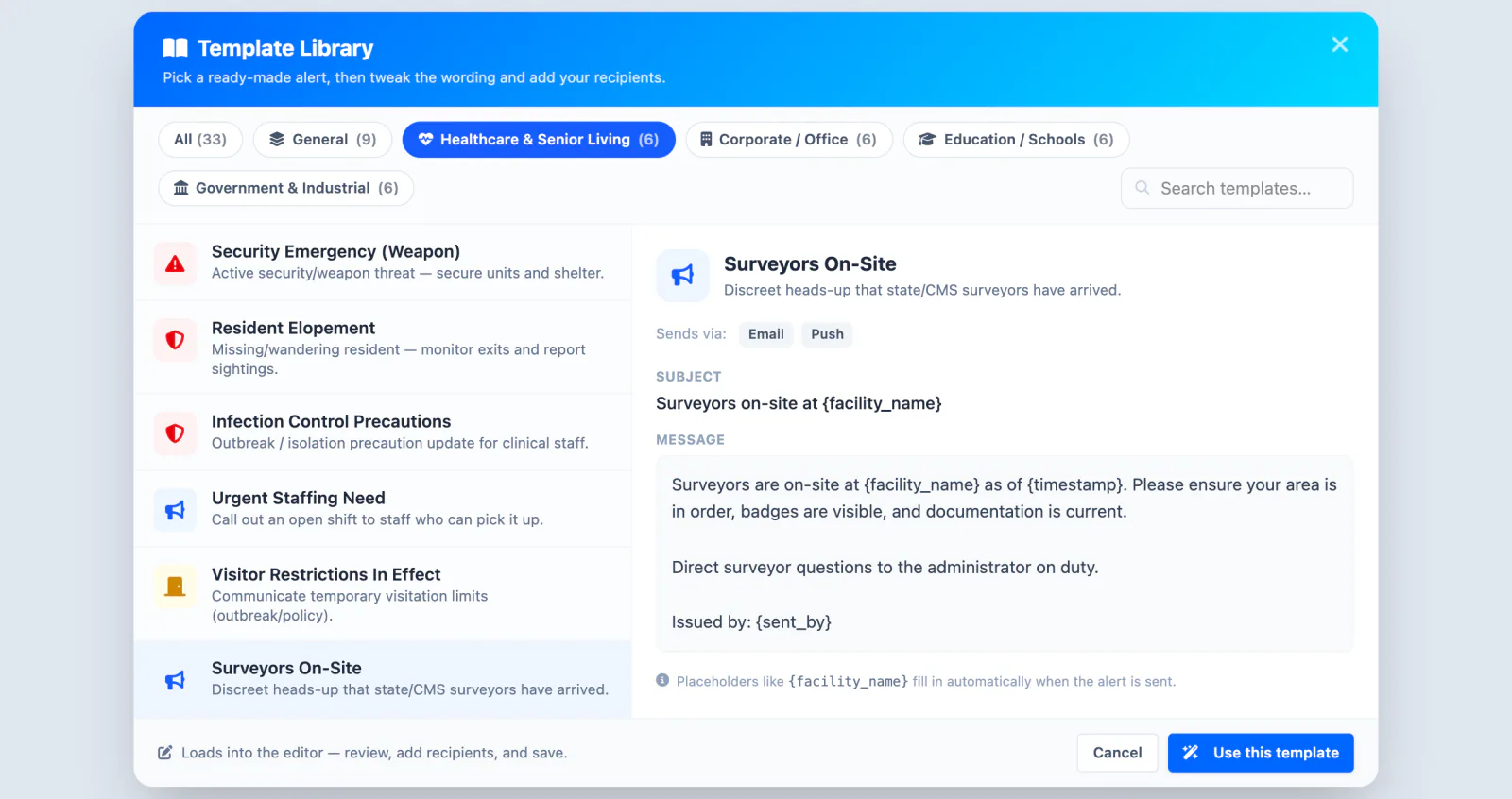
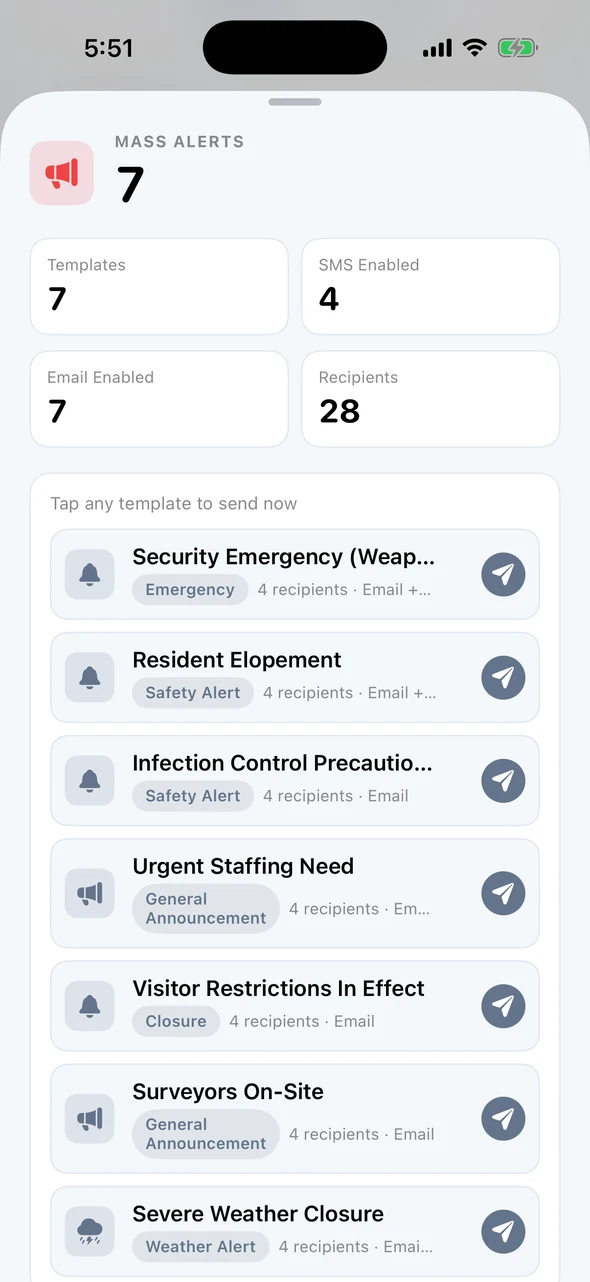
Reach the right staff in seconds, not a phone tree
Send a lockdown, weather, elopement, or staffing alert to the right staff groups from a ready-made template. Send it from the dashboard at the desk or from the Companion app in the hallway.
- Text, email, and Companion push
- Recipient groups you pick by hand or build from rules
- Templates for lockdowns, elopement, severe weather, and “Surveyors On-Site”
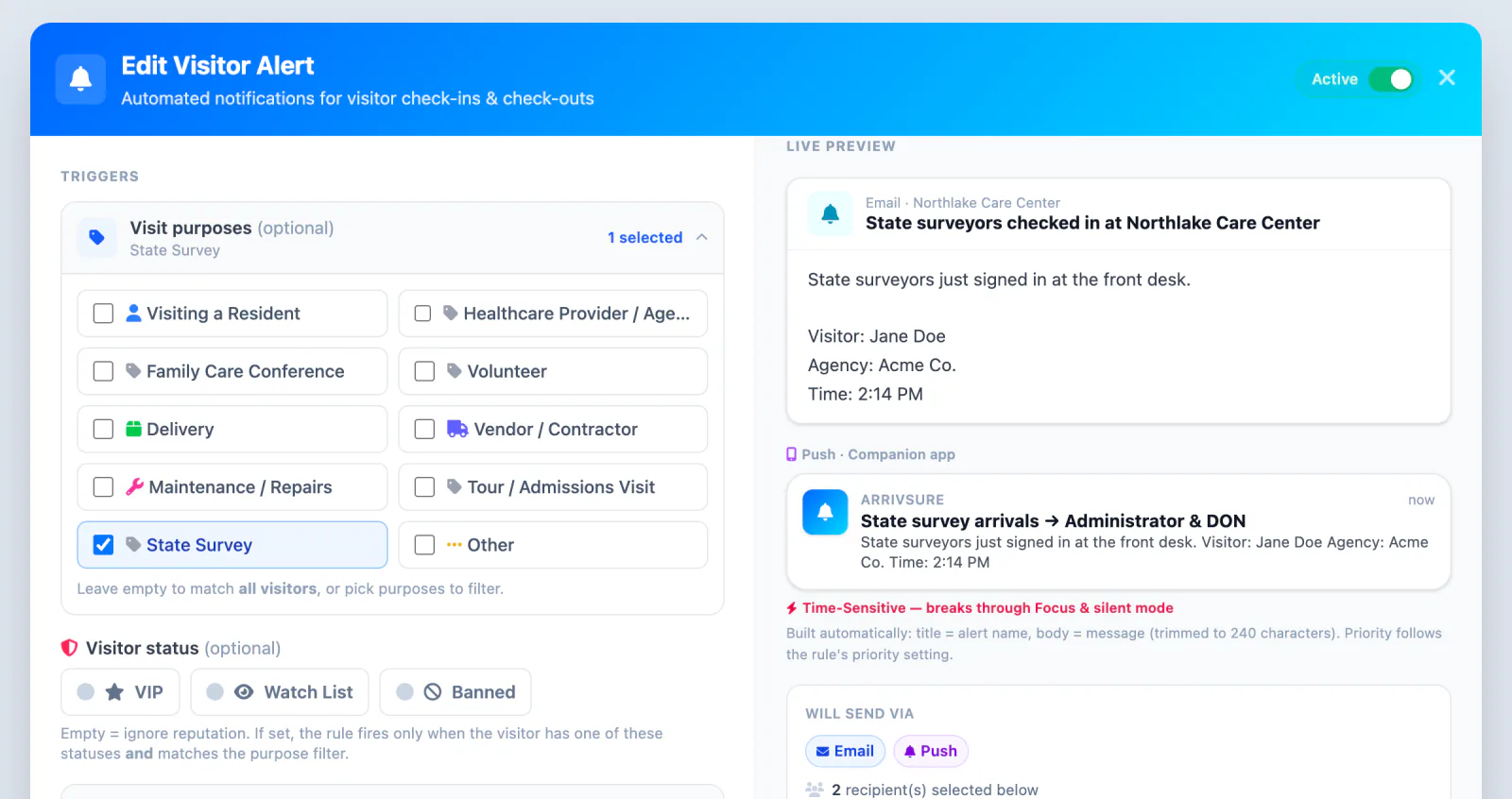
State surveyors check in. Your administrator knows.
Add a visit purpose such as “State Survey” and an alert rule for it, and your administrator and DON hear the moment surveyors sign in at the front desk. The same rules flag VIP, watch-list, and banned visitors.
- Rules by visit purpose, visitor status, or company
- Banned visitors can’t finish check-in at the kiosk, and staff are alerted
- Email and Companion push to the people you choose
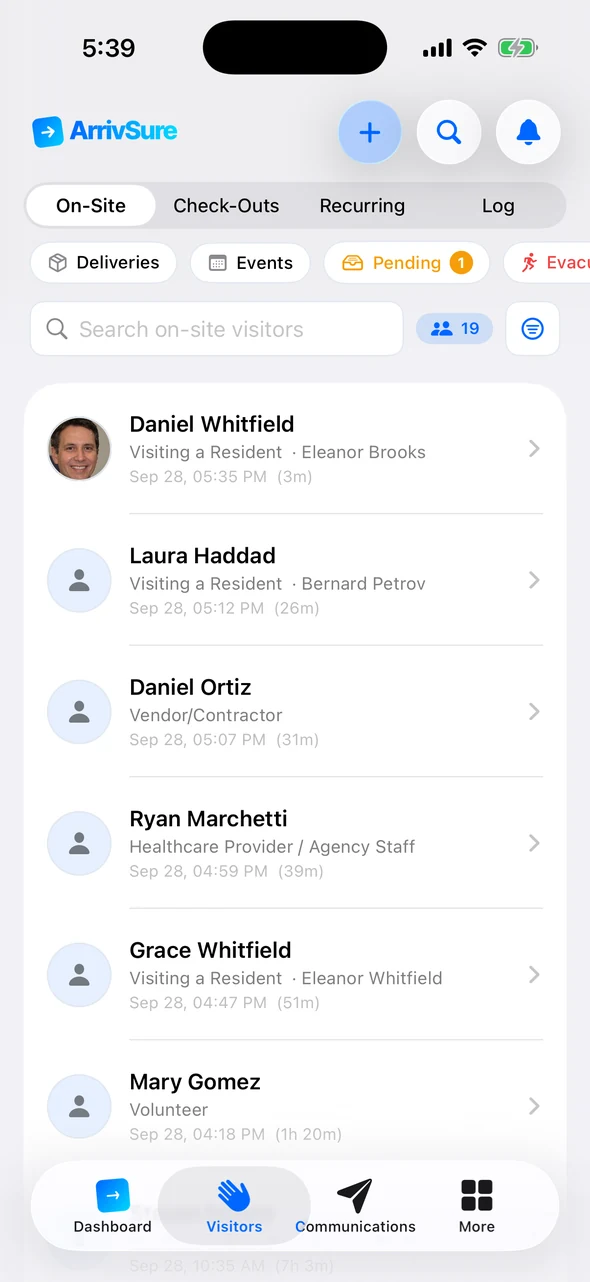
A headcount of every visitor, on any phone
In an evacuation, ArrivSure lists every visitor, contractor, and vendor in the building right now. Open it on the dashboard or in the Companion app, or print it to any printer.
- Everyone checked in and not yet checked out
- One tap from the on-site list in Companion
- Check everyone out at once after your headcount
More ways to stay ahead of it
Two-way roll call by text
Staff reply 1 for safe or 2 for help, and you see every answer as it comes in.
Playbooks and readiness
Incident playbooks built around the CMS emergency preparedness rule, plus a readiness checklist.
After-action report
A printable timeline for each incident: every alert sent and every roll-call response.
Kiosk-offline heads-up
When every kiosk at a building goes offline, you hear about it. It’s usually a sign of lost power or internet.
Overdue-return alerts
A resident who left for an appointment or outing isn’t back on time? ArrivSure checks every 5 minutes and tells you.
Background-check tracking
Track visitor background checks, with reminders before they expire.
Safety and emergency questions
What does the evacuation list include?
Every visitor, contractor, and vendor who is checked in and not yet checked out. It covers visitors, not employees, so use your staff roster for staff. Do your physical headcount against it, then check everyone out at once.
How often does the Emergency Hub check for threats?
Feeds are checked every 5 to 15 minutes. When something is close to one of your buildings, your managers get an alert with what to do for residents.
What happens if the internet goes down?
The kiosk needs a connection to check visitors in. Keep a paper sign-in sheet at the desk for outages and enter those visits afterward so the record is complete.
Does a watch-list match stop someone at the door?
A watch-list match alerts your staff at check-in so they can verify the person and follow your policy. Banned visitors can’t finish check-in at the kiosk. ArrivSure doesn’t lock or unlock doors.
Can staff see the list on a phone?
Yes. Staff open the evacuation list in the Companion app, and anyone at a desk can print it to any printer.
Can ArrivSure alert us when state surveyors arrive?
Yes. Add a visit purpose such as “State Survey” and an alert rule for it, and your administrator is notified the moment surveyors check in. You can also send the “Surveyors On-Site” template to your whole team in one tap.
Check-in figures: Avante at Inverness, 30 days. Location count as of September 2026. Review time reported by Avante.