A front desk that never steps away from the lobby.
Replace the paper sign-in sheet with a branded iPad. Families, agency staff, and vendors check themselves in, sign your documents, and walk away with a printed badge, while the right person on your team hears they’ve arrived.
- Included with every plan
- Runs on iPadOS 26
- Prints to the Brother QL-820NWB
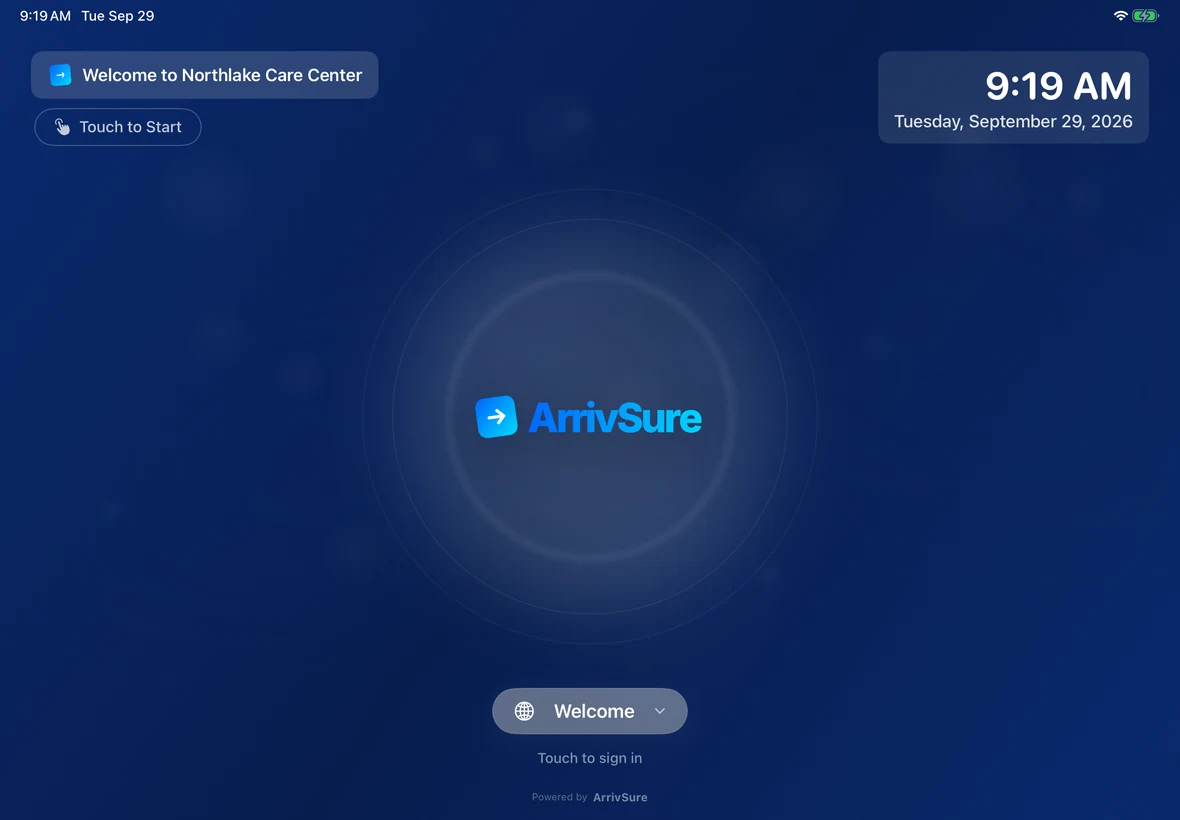
See the kiosk check in a real visit
Welcome, screening, badge photo, signed policies, and a printed badge, then check-out and a short survey.
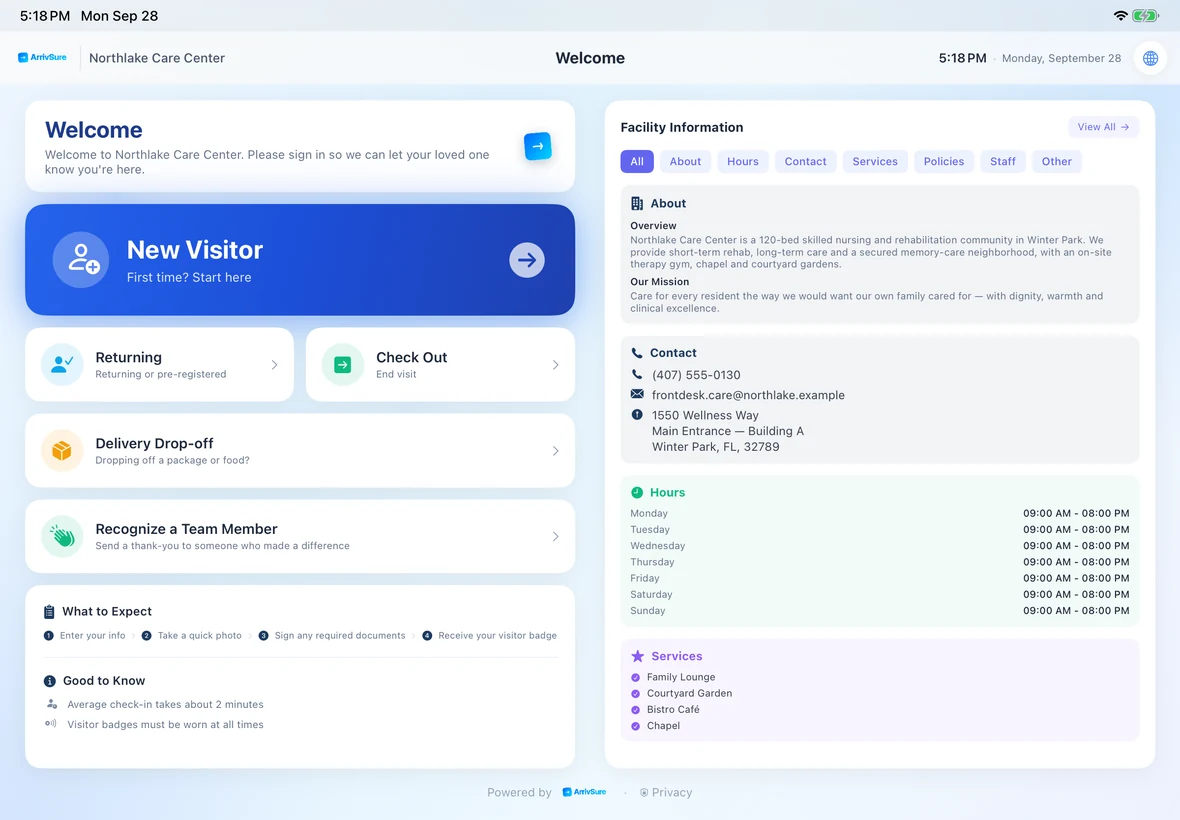
Every reason to walk in, on one screen
New visitors, returning families, checkouts, courier drop-offs, and thank-yous for staff all start here. The visit purpose someone picks decides every step that follows.
- Visit purposes you define: family, agency, contractor, state survey
- Your facility’s name, hours, and contact info
- Returning visitors skip straight to lookup
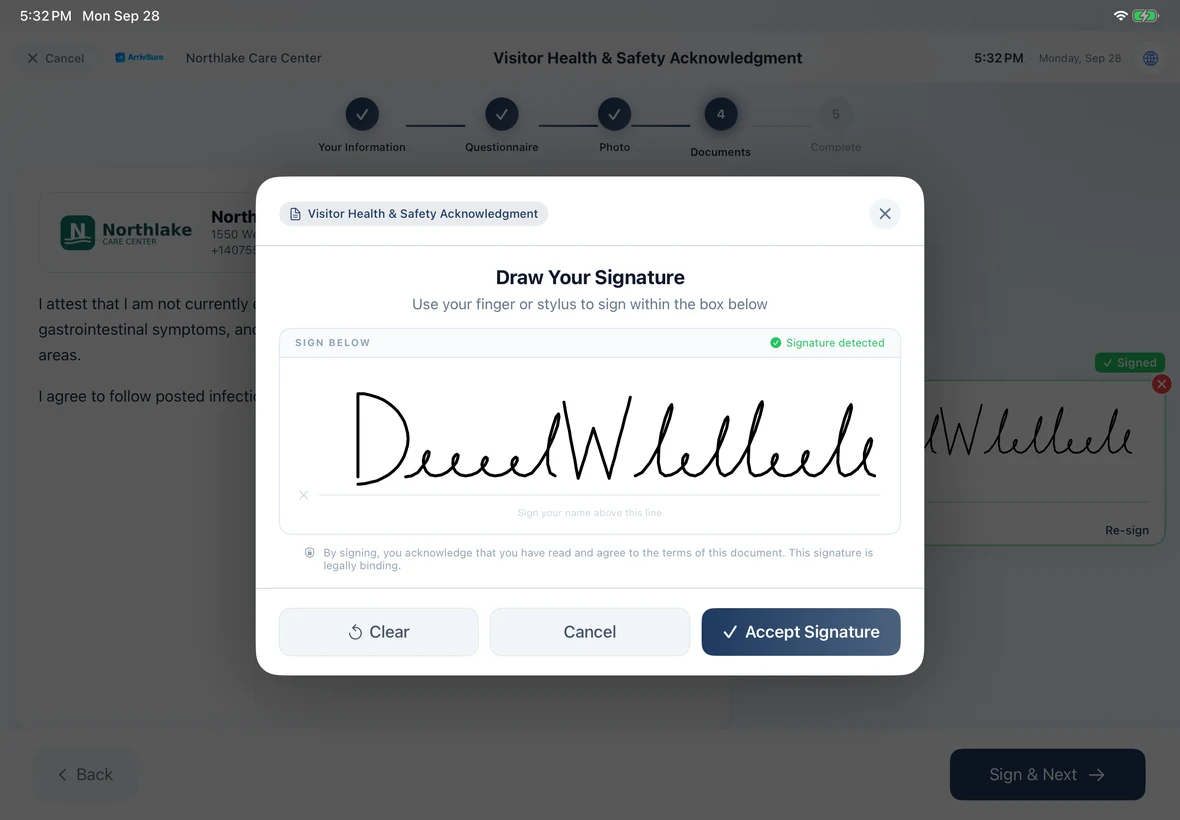
Questions and signatures, only where they apply
Visitors answer your screening questions, then read and sign your documents right on the iPad. Each signature is saved with the document version and the time it was signed.
- Health screening questions per facility, plus an optional temperature field
- Sign with a finger or stylus
- Asked to re-sign when a document changes
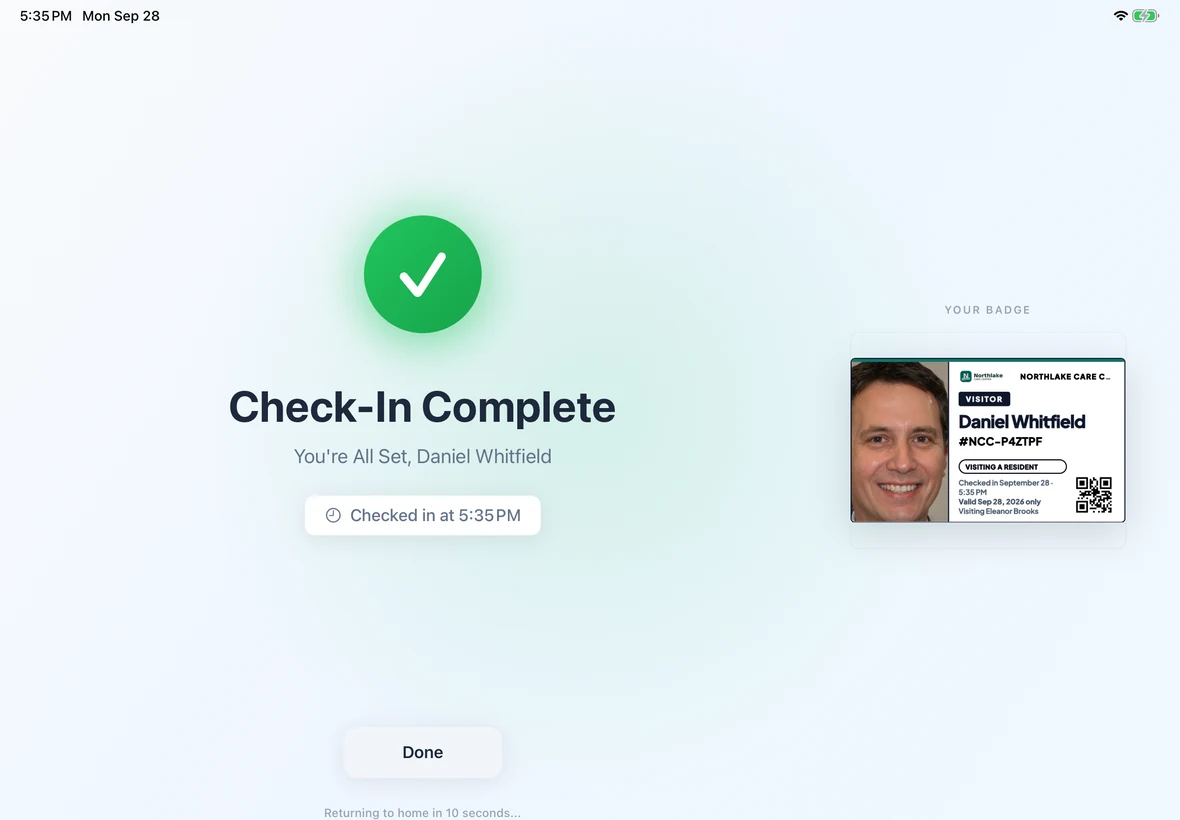
The badge prints before they put the pen down
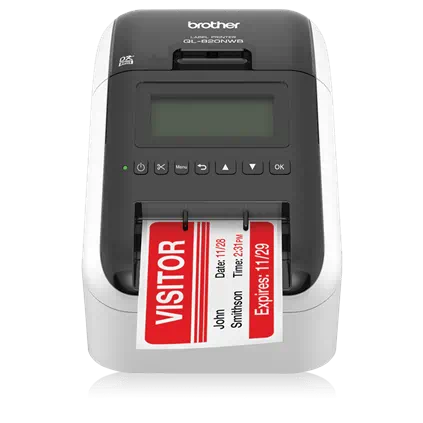
The iPad app talks straight to a Brother QL-820NWB label printer through the Brother SDK. No reception computer in between, and staff can reprint from the web dashboard or the Companion app.
- Photo badge with name, host, purpose, time, and a QR code
- Wi-Fi or Bluetooth, the way your lobby is set up
- We confirm your setup with you before you buy
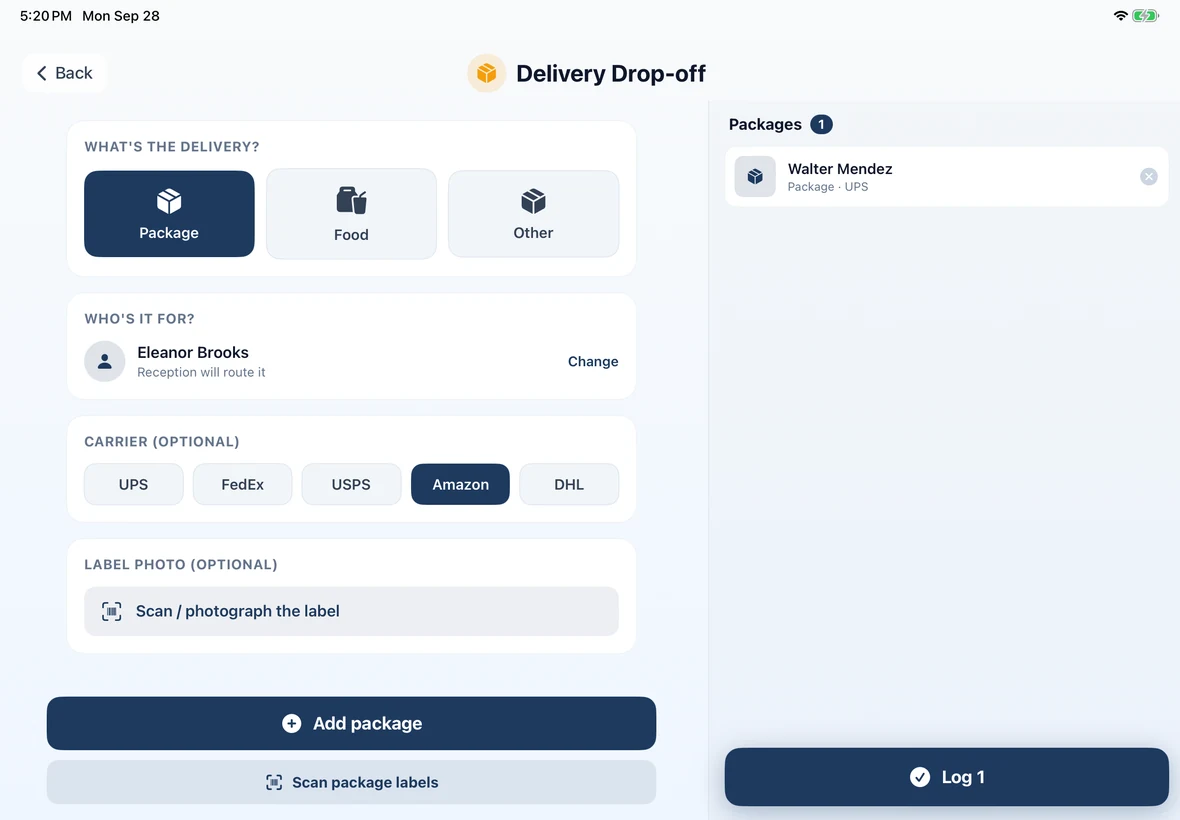
Couriers drop off and leave. No badge, no checkout.
A courier taps Delivery, picks package or food, and scans the label to fill in the recipient. The recipient hears about it, and the front desk sees everything still waiting.
- Packages and food in one flow
- Several packages for different people in one drop-off
- Recipient notified by push or email
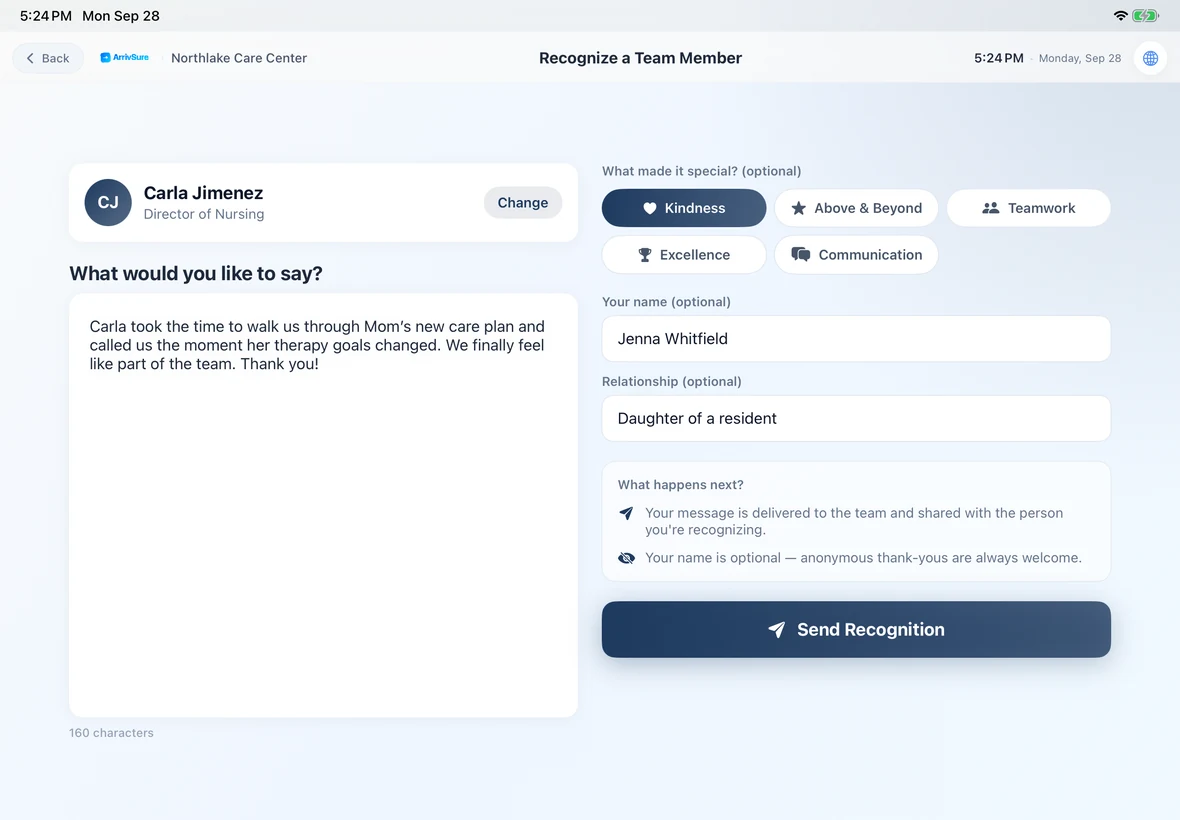
Families can thank the aide who made the difference
Visitors pick a team member, add a tag like Kindness or Above & Beyond, and write a note. Staff approve thank-yous before they’re shared, and visitors can rate their visit at checkout.
- Off by default; turn it on when you’re ready
- Names are optional for the visitor
- Approved notes reach the person they’re about
Everything else the kiosk handles
Included with every plan. Run it on your own iPad, or choose a Managed Kiosk.
12 languages, one tap
English, Spanish, Haitian Creole, French, Portuguese, Chinese, German, Arabic, Japanese, Korean, Russian, and Vietnamese. Visitors can switch at any point.
Driver’s-license capture
Optionally photograph both sides of a U.S. or Canadian driver’s license. ArrivSure reads the barcode so staff don’t retype it.
Returning visitors in seconds
Scan a badge or Apple Wallet pass QR code, or look up by phone or email. VIP, watch-list, and ban matches alert the right staff.
Group check-in
Check in a visitor plus up to five guests in one flow, each with their own badge.
A lobby screen with your name on it
Between visitors: your logo, a welcome message, a clock, Bulletin Board announcements, and QR codes for Wi-Fi or any link.
Vendor credential check
Missing insurance or an expired license? Track it, warn staff, or block the check-in. Overrides need a reason and are logged.
Event check-in
Switch the same kiosk into event mode and scan QR tickets at the door.
PIN-protected admin
A hidden, PIN-gated admin panel keeps settings safe on a public device.
Native iPad app
Runs on iPadOS 26 in landscape or portrait, with landscape preferred for most new installations.
Check-in figures: Avante at Inverness, 30 days. Location count as of September 2026. Review time reported by Avante.