Track the requirements. Check them at arrival.
Vendors, agency staff, and contractors carry paperwork that expires. ArrivSure tracks it, screens them against federal exclusion lists, and checks it again when they walk in.
- 16 standard credential types
- OIG checks every month
- Off, Warn, or Block at the kiosk
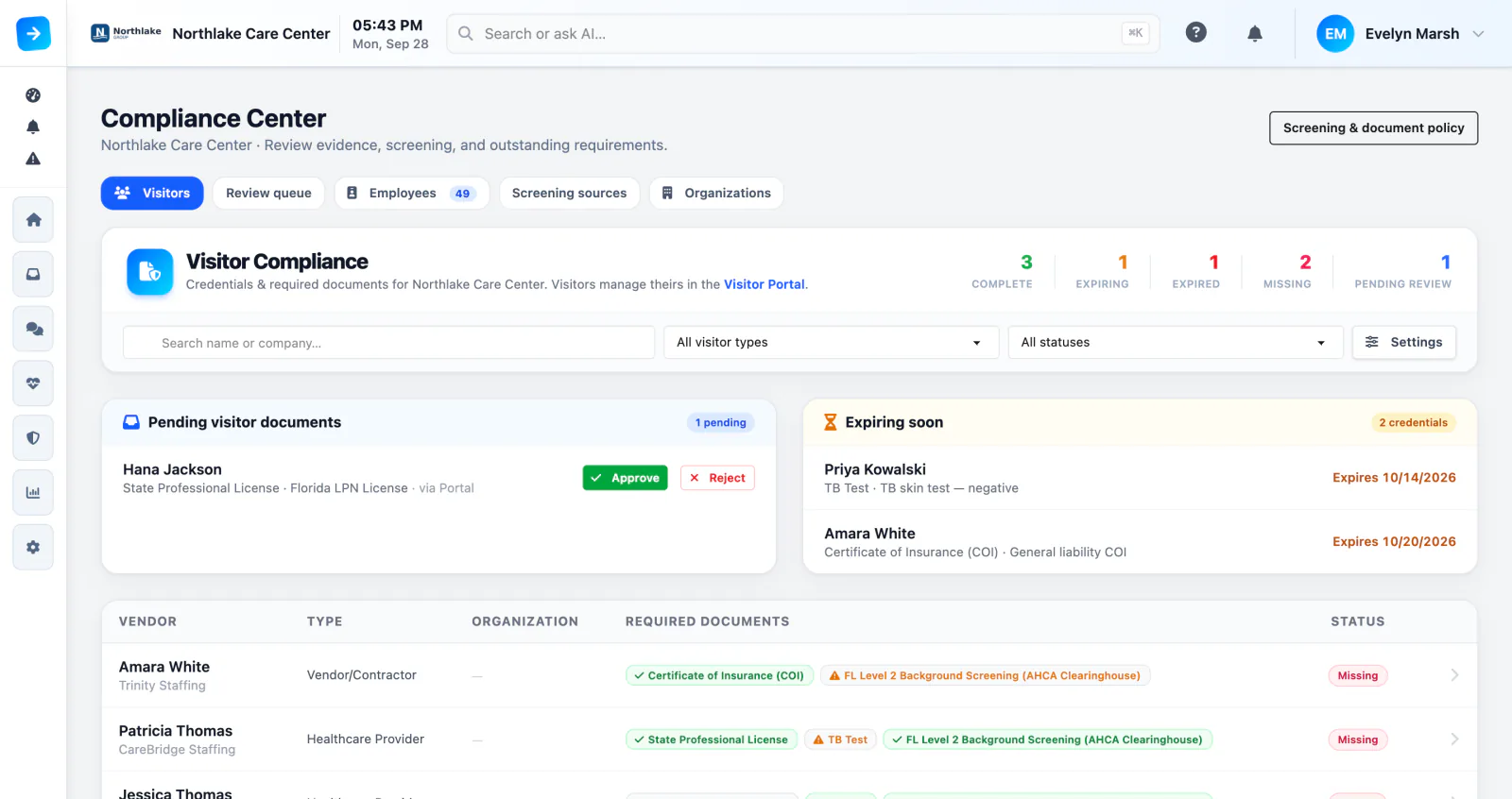
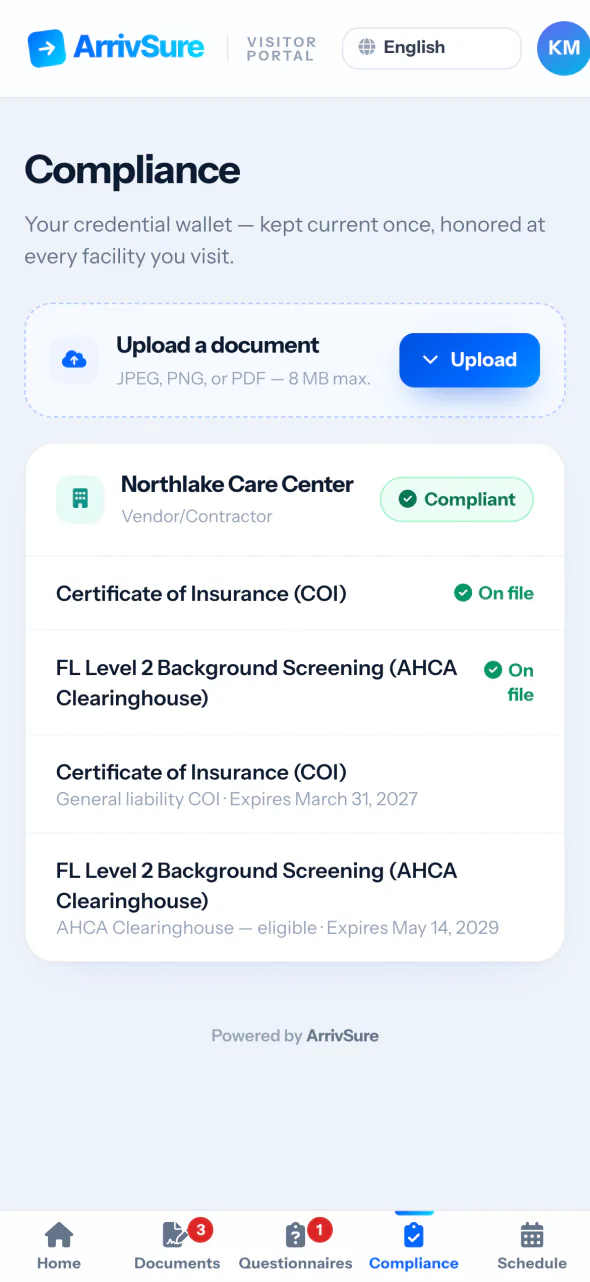
They upload it. You approve it.
Decide what each visitor category owes you: a certificate of insurance from contractors, a license and TB test from agency staff. Vendors and providers upload their own documents in the Visitor Portal, and your team accepts or returns each one.
- Requirements set per visitor category
- ArrivSure AI pre-fills the type and dates
- Accept or return each upload from a review queue
Expired paperwork gets caught at the kiosk
Each facility picks how the kiosk handles a missing or expired credential. Off tracks it quietly, Warn lets the check-in finish and alerts staff, and Block stops the check-in and sends the visitor to the front desk.
- A mode for each facility
- Grace windows you control
- Overrides need a reason and are logged
- Track onlyOffThe visitor checks in. The gap shows on their compliance record.
- Alert staffWarnThe check-in finishes and staff get an alert.
- See receptionBlockThe check-in stops and the visitor is sent to the front desk.
Exclusion checks that run themselves
On the 1st of every month, ArrivSure checks your credentialed visitors and providers against the OIG exclusion list, and SAM.gov where enabled. NPIs are matched against the NPPES registry. Possible matches land in a review queue for your team.
- OIG exclusion list checked on the 1st of every month
- Possible matches reviewed by your team
- Results saved on each person’s compliance record
- MonthlyOIG exclusion list (LEIE)Credentialed visitors and providers
- Where enabledSAM.gov federal exclusionsFederal exclusion records
- NPI matchCMS NPPES registryEach provider’s NPI matched to the national registry
Compliance in your pocket
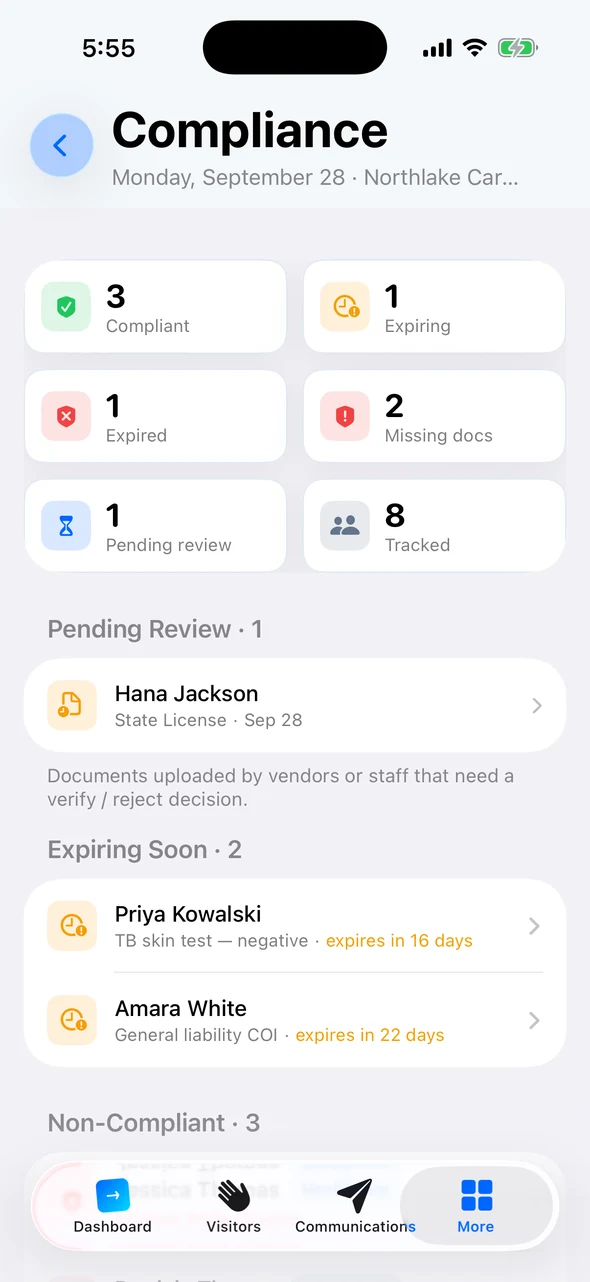
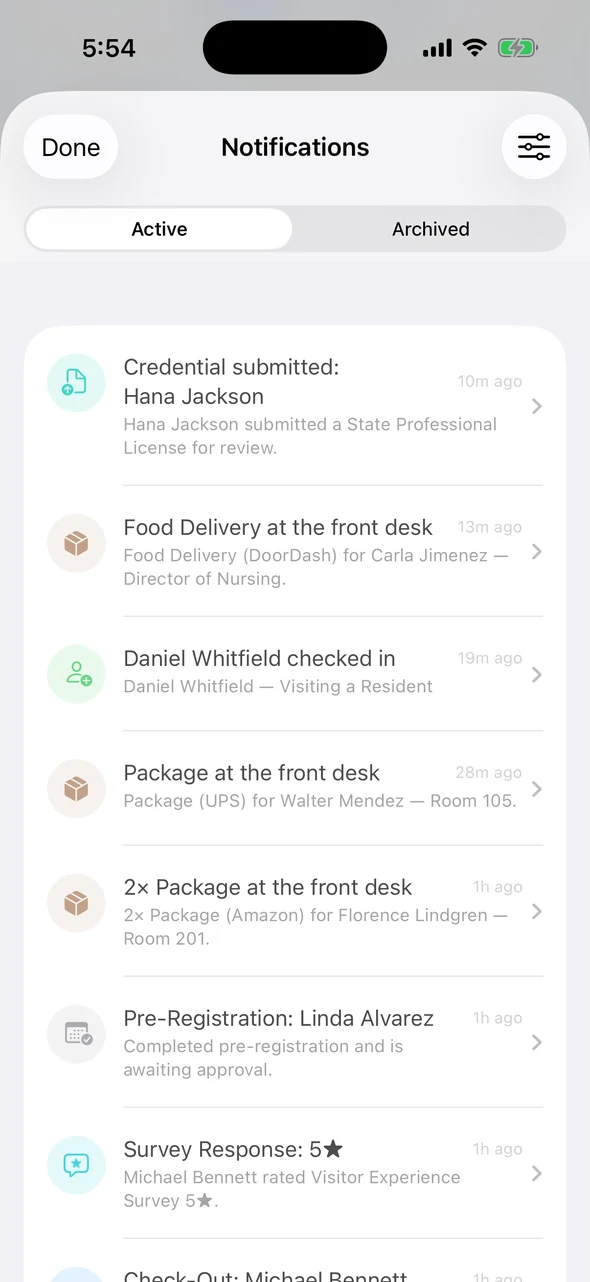
From the Companion app, administrators see who’s compliant, expiring, expired, or missing documents. When a vendor submits a credential, it shows up in their notifications, ready to verify or reject.
- Compliant, expiring, and missing at a glance
- New uploads land in your notifications
- Verify documents and record overrides
The credential binder, retired
Everything below is included with every plan.
16 standard credential types
Certificates of insurance, immunizations, background checks, licenses, and more, ready to require.
Every visitor type
Agency staff, providers, contractors, volunteers, or any visitor category can carry its own requirements.
Vendor companies
One certificate of insurance on the company covers all of its people.
No surprise expirations
Daily alerts before credentials expire, and a Monday digest of what needs attention across your facilities.
Every decision logged
Every approval, rejection, screening result, and override is recorded in the activity log.
Documents kept private
Uploaded credential documents are encrypted in transit and at rest.
Credentialing and screening questions
Can vendors upload their own documents?
Yes. Vendors and providers upload credentials in the Visitor Portal before they arrive. ArrivSure AI pre-fills the type and dates, and your team accepts or returns each document in a review queue.
How often are exclusion lists checked?
ArrivSure checks the OIG exclusion list on the 1st of every month, when OIG publishes its updates. SAM.gov checks run where enabled, and NPIs are matched against the NPPES registry.
Does a registry match verify someone’s identity?
No. A name match is a flag for your team to review. It doesn’t confirm who someone is or that their license is current.
What happens when a credential expires?
You set the grace window. Staff get alerts before the date, and a Monday digest lists what needs attention. Each facility chooses whether a missing credential is only tracked, warns staff, or blocks the check-in.
Does blocking a check-in lock the door?
No. Block stops the check-in at the kiosk and sends the visitor to the front desk. Staff can override with a reason, and the override is logged.

Check-in figures: Avante at Inverness, 30 days. Location count as of September 2026. Review time reported by Avante.