Ask your front desk anything.
Ask about arrivals, deliveries, events, and surveys in plain English, and get answers from your facility’s own records. Get a briefing for every facility each week, and let AI draft alerts and read uploaded credentials for staff to confirm.
- Read-only
- Answers from your own facility
- Weekly briefing for every facility
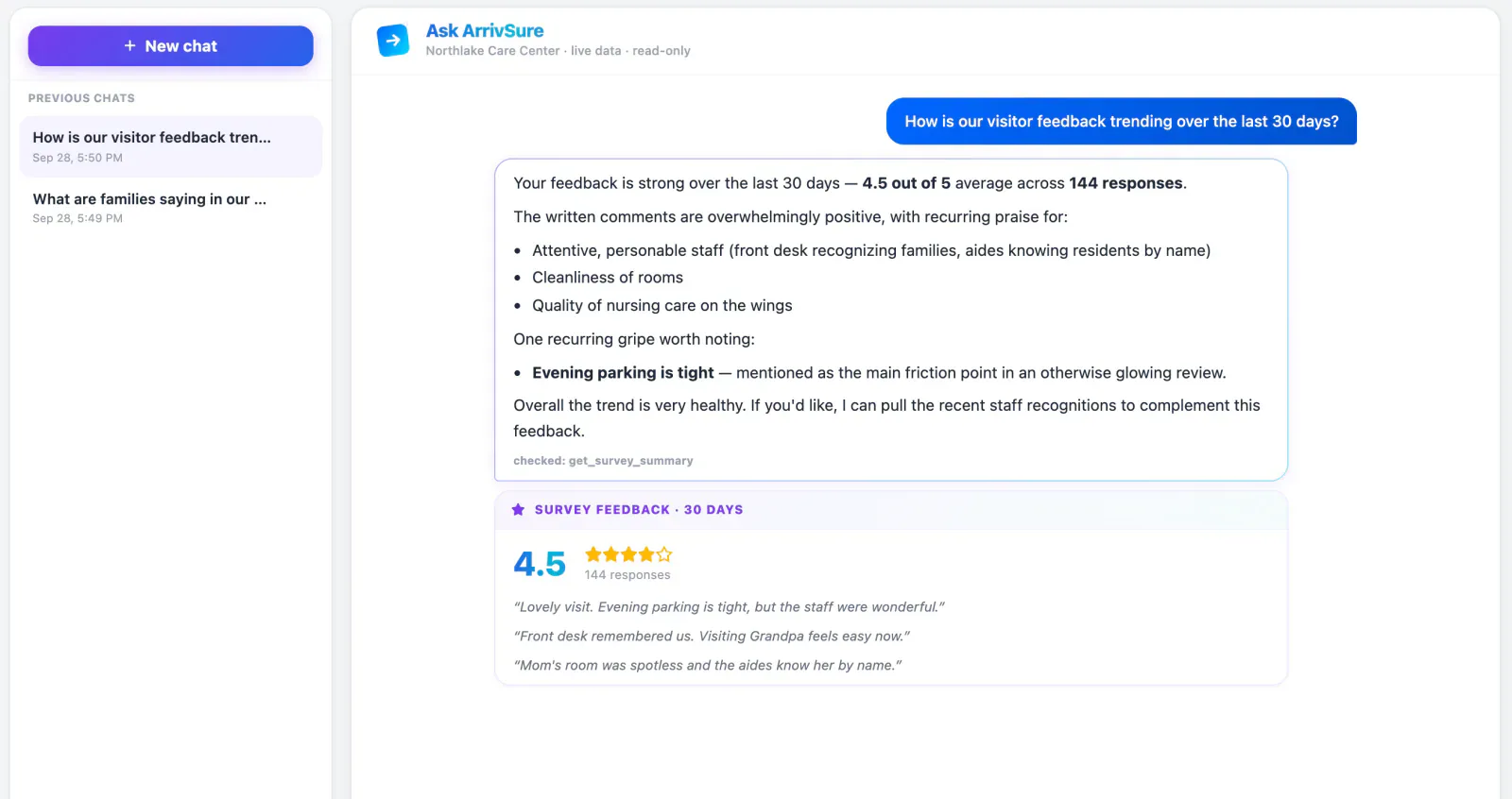
Answers, not exports
Skip the report. Ask the assistant who’s here, who’s expected, or what families said this week, and it answers from your facility’s live records with the numbers behind it. It’s read-only, so it can’t change a thing.
- Arrivals, visit history, deliveries, events, surveys, alerts, and recognitions
- Ask for a visit list and get a CSV back
- Only the facility you’re signed into
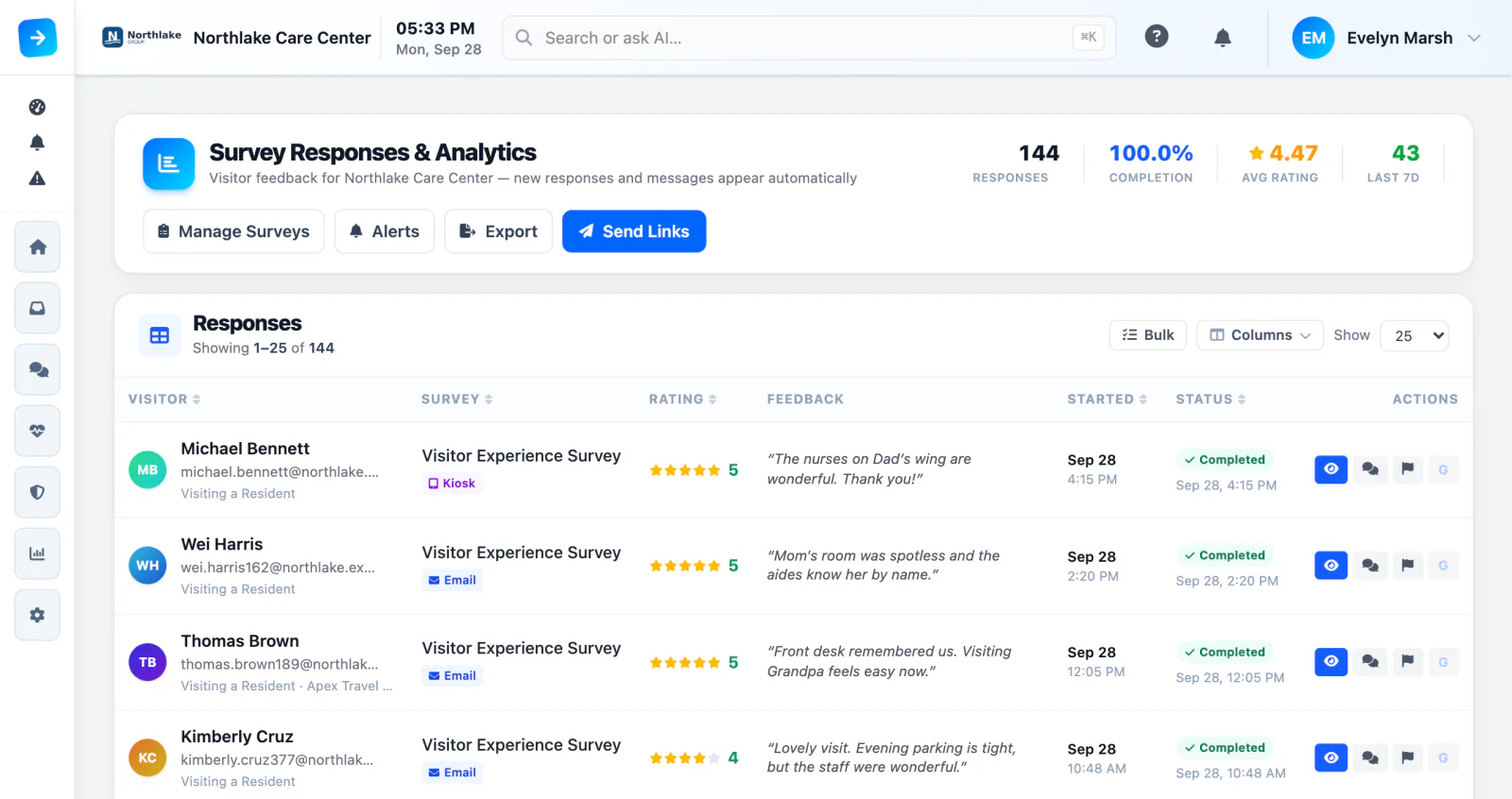
Every comment read. The urgent ones flagged.
AI reads each survey comment as it comes in, flags anything urgent on the response list, and alerts staff. Every Monday morning by default, each facility also gets a short briefing: what traffic did, what stood out, and survey feedback grouped into themes.
- Urgent comments flagged and sent to staff
- Survey feedback grouped into themes
- Pick the briefing day and time for each facility, or turn it off
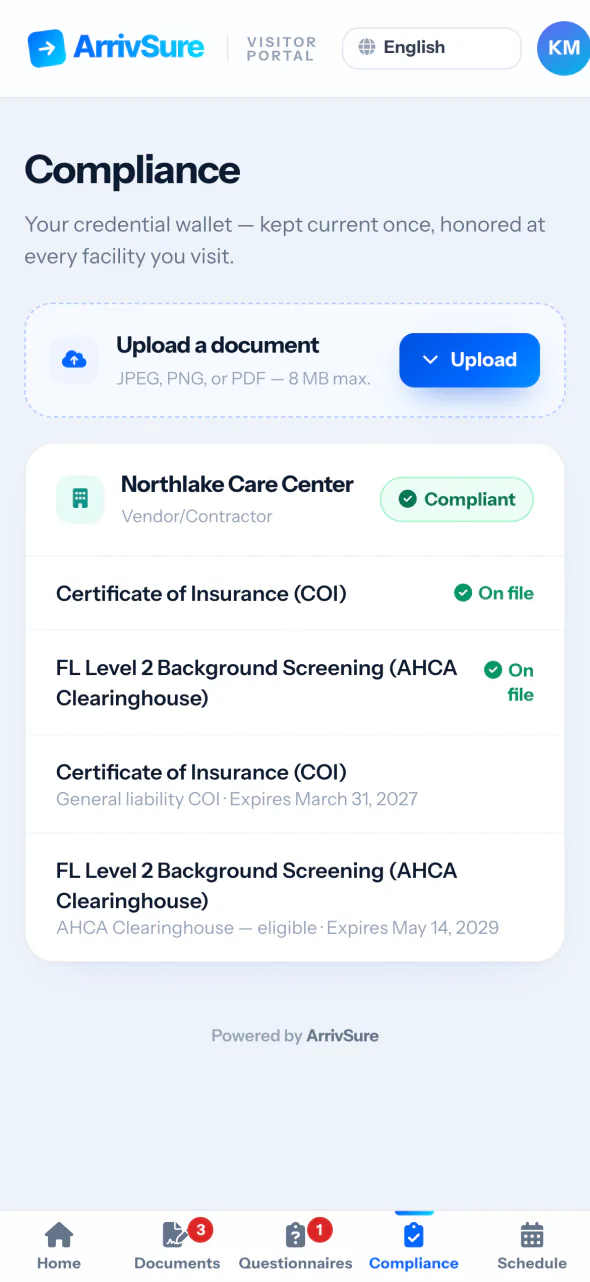
It reads the paperwork, so staff don’t retype it
When a vendor or provider uploads a certificate of insurance or a license in the Visitor Portal, AI pre-fills the credential type and dates. Your team checks it and accepts or returns the document.
- Photo or PDF, straight from the vendor’s phone
- Credential type and dates pre-filled
- A person approves every document
AI woven through the platform
Small helpers where they save the most time.
Ask from the search bar
The search bar at the top of every page takes questions too, so the answer is one shortcut away.
Draft mass alerts
Describe the situation in a sentence and AI drafts the staff alert. You review, edit, and send.
PBJ checks, explained
Rule-based checks catch missing sign-offs and data problems before export, and AI explains anything flagged in plain English.
Report summaries
Scheduled report emails open with a short AI summary, so administrators know what changed before they open the spreadsheet.
Visitor Facility Guide
A chat for families and visitors that answers questions about your hours, policies, and directions. It can’t see your operational records.
Numbers you can trust
Counts and averages in every briefing are calculated from your records. AI writes the summary around them.
ArrivSure AI questions
Can the assistant change our records?
No. It’s read-only. It can look up arrivals, visits, deliveries, events, surveys, alerts, and recognitions, but it can’t change anything.
Whose data can it see?
Only the facility you’re signed into. Answers come from that facility’s own records, with the numbers behind them.
Can we turn AI off?
Yes. ArrivSure AI can be switched off for your whole organization, and each facility’s weekly emails can be turned off on their own.
Should staff type resident health information into it?
No. Keep protected health information out of prompts. AI drafts, summaries, and pre-filled fields are for your staff to review before acting on them.
Check-in figures: Avante at Inverness, 30 days. Location count as of September 2026. Review time reported by Avante.