Open houses and family nights, without the clipboard line.
Families sign up online and get an emailed ticket with a QR code. On the day, they scan it at the same kiosk you use every day, and you watch the room fill up. No separate event tool.
- Emailed QR tickets
- Waitlists and capacity alerts
- Included in $249 per location
Sign-ups and tickets without the spreadsheet
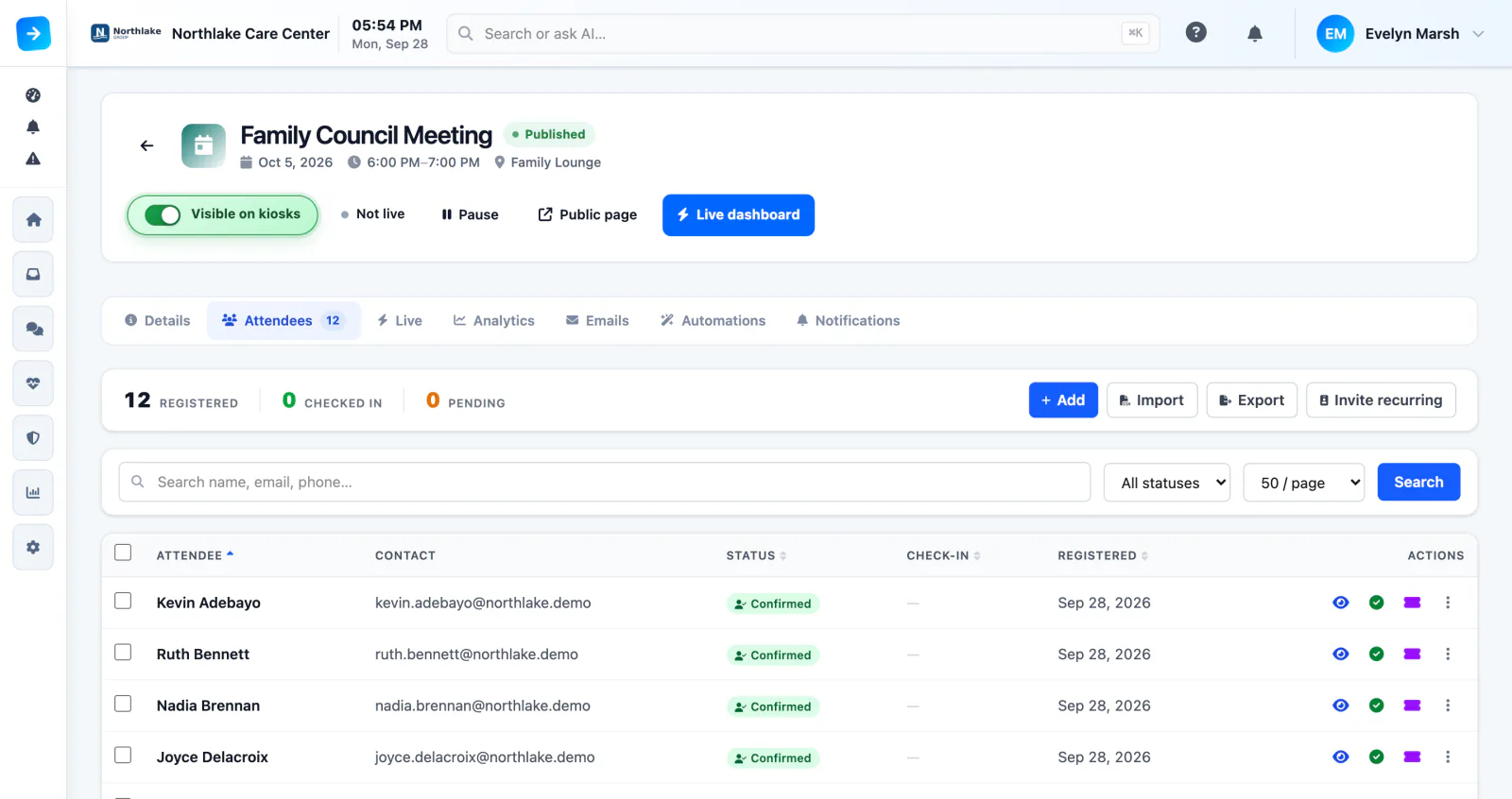
Create the event, set a capacity, and decide who can sign up. Families register on a page in your colors and get an email ticket with a QR code and a printable PDF. Reminder emails let them answer with one click.
- Email ticket with a QR code, plus a printable PDF
- One-click RSVP: Coming, Maybe, or Not going
- Approval step when you want to review sign-ups
- Monday, October 5 · 6:00 PM
- Family Lounge
- Ruth Bennett + 1 guest
Scan the ticket. Or just walk in.
Guests scan their ticket at the kiosk and they’re in. No ticket? The kiosk finds them by email or name. Walk-ins register on the spot, and event check-in runs right alongside your regular visitors.
- QR check-in at the kiosk
- Lookup by email or name
- Walk-ins get a photo and a badge
- Scan the ticketThe QR code from their email or printed PDF.
- Forgot the ticket?Look them up by email or name.
- Walk-inRegister at the kiosk, with a photo and a badge.
Watch the room fill up from anywhere
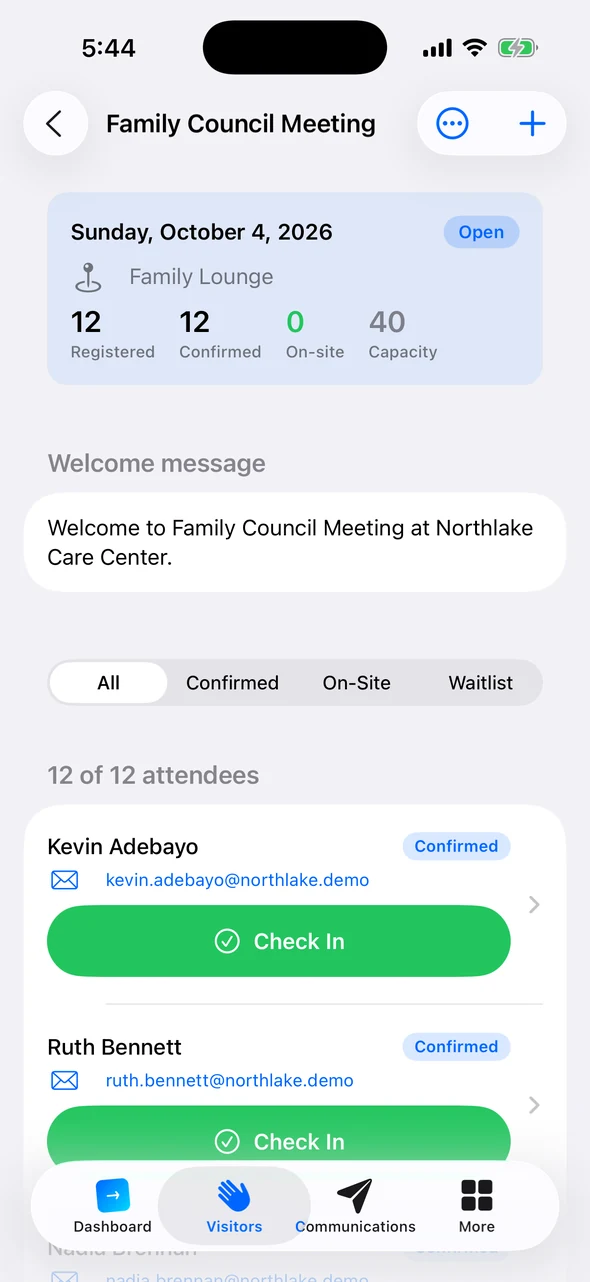
Every scan is counted as guests arrive, so you know who came and who didn’t, not a headcount guess. Staff on the floor see the guest list in Companion on their iPhone and can check people in with a tap.
- Registered, confirmed, and on-site counts
- Check guests in from Companion
- A text, email, or push at 80% and 100% of capacity
Reminders and thank‑yous that send themselves
Set the messages up once: a reminder the day before, a text a couple of hours out, a thank-you to everyone who came, and a note to the families who couldn’t make it. Each step goes by email or text, on your schedule.
- Timed before the event, after check-in, or after it ends
- Send to attendees, no-shows, walk-ins, or everyone
- Attendance analytics and a CSV export afterward
Family Council Meeting
- 1 day beforeEmailReminder with the ticketEveryone registered
- 2 hours beforeTextSee you tonightConfirmed RSVPs
- 1 hour afterEmailThank you for comingGuests who checked in
- Next morningEmailSorry we missed youNo-shows
Everything an event needs, in the system you already use
Events are included with every plan.
Capacity and waitlist
A full event puts new sign-ups on the waitlist. Promote someone with one click and their ticket goes out.
Choose who can sign up
Open registration, approval required, or invitation only.
Recurring events
Set up the monthly family council once, with custom sign-up questions and plus-ones.
Your colors, your welcome
A branded sign-up page and a kiosk welcome screen for the event.
Bring your guest list
Import guests from a spreadsheet, or invite your recurring visitors in one step.
Alerts for staff
A text, email, or push when someone checks in, when a walk-in registers, or when the event is about to start.
Check-in figures: Avante at Inverness, 30 days. Location count as of September 2026. Review time reported by Avante.