In this article
The Atlantic hurricane season runs from June 1 through November 30, and the National Hurricane Center puts its climatological peak on September 10, with most activity falling between mid-August and mid-October. For a care facility, that means the most active weeks of the season overlap with ordinary visiting hours, contractor schedules, and delivery traffic for a month or more at a stretch.
Most emergency plans handle residents and staff in detail. We covered the visitor side of readiness in Emergency Preparedness Starts at the Front Door. This post is narrower: a storm-week timeline for the people who run the lobby, from the first forecast cone to the restoration crews that show up afterward.
- Three days out Check alert groups, load message templates, and set the visitor policy.
- The day of Keep the on-site roster accurate, including family members sheltering with residents.
- After the storm Check contractor credentials, watch-list alerts, and badges as crews arrive.
Three days out: get the communication layer ready
CMS's emergency-preparedness requirements expect participating facilities to maintain a communication plan alongside their policies, training, and testing. Storm week is when that plan gets exercised, so check the pieces that go stale between drills:
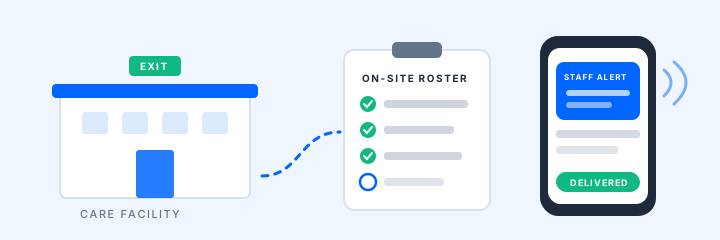
- Alert groups. Confirm who is in each group: all staff, leadership, maintenance, each building or wing. Rule-based membership helps, but a departed employee still receiving alerts is a data problem, and a current one missing from the group is a safety problem. Fix both now.
- Templates. Load the messages you will actually send: storm status update, shelter in place, report to the facility, all clear. Writing them at 2 AM produces worse messages than writing them on a calm Tuesday.
- The sender's location. The person who sends the alert may not be at a desk. Practice a send from a phone through the Companion app, not only from the dashboard.
- Receipt. Mass alerts go out through enabled SMS and email channels, and delivery depends on carriers, networks, and device settings. For messages that must land, such as a lockdown or an evacuation order, keep a call-back step for key roles.
Decide the visitor policy at the same time: whether visiting pauses, whether a family member may shelter with a resident under facility policy, and when the lobby closes. Post it at the entrance and give reception the exact words to use.
The day of: know who is in the building
During shelter-in-place, the question is not just how many residents you have. It is who else is recorded on site: visitors, vendors, delivery drivers, and any family members who stayed. A family member sheltering with a resident should be checked in like any other visitor so the roster reflects reality when someone asks.
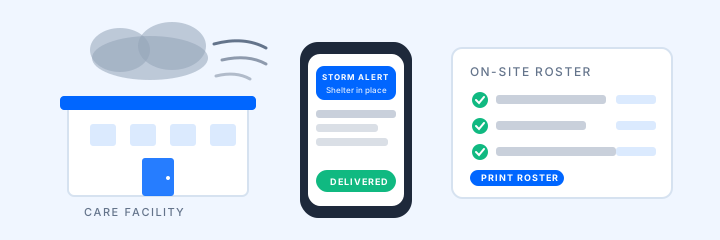
An on-site roster built from recorded check-ins and checkouts can be pulled up on a screen, on a phone, or printed. Its accuracy depends on people following the check-in and checkout process, so reconcile it at each status update: check out people who left, and use bulk checkout only after your accountability procedure is complete. Bulk checkout cleans up records; it does not confirm that anyone physically departed.
Two honest notes for storm conditions:
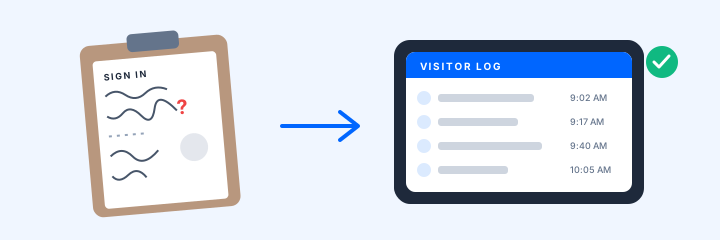
- Connectivity. If power or internet drops, a connected kiosk cannot take check-ins. Decide before the storm who owns the paper fallback, and enter those arrivals afterward so the record is complete.
- Deliveries. Water, fuel, medical supplies, and generator parts arrive on their own schedule. Logging them through the deliveries workflow means the pending-pickup view shows what arrived and who collected it, instead of a stack of packing slips.
In Florida, AHCA requires licensees that provide residential or inpatient services to report their emergency status through the Health Facility Reporting System (HFRS), and during a storm response it asks providers to keep census, available beds, evacuation, generator, and damage information current. A roster you trust makes those questions faster to answer.
After the storm: the contractor surge
The week after landfall brings more unfamiliar people through the door than any other week of the year: restoration crews, roofers, generator technicians, insurance adjusters, and agency staff covering for employees who cannot get in. Most are exactly who they say they are. The front desk still needs a way to tell.
- Credentials before arrival. Restoration and maintenance contractors should carry current insurance, so ask for it up front. With credentialing workflows, vendors upload documents through the Visitor Portal before they arrive, staff review them in a queue, and expiring documents surface in alerts. Each facility chooses whether an unresolved requirement is tracked, warns staff, or pauses the check-in for authorized review. A kiosk pause is not physical access control; a person still decides.
- Watch-list checks. Anyone barred from the property, including former employees, can trigger a staff alert at check-in so the response follows policy rather than memory.
- Badges. A printed badge lets staff distinguish a checked-in contractor from someone who walked past the desk.
- Agency hours. If a skilled nursing facility brought in agency nurses or aides for storm coverage, their hours still belong in PBJ. The check-in record is the source you will want at quarter end.
For groups with buildings in several counties, a multi-location view shows which facilities have people recorded on site and what alerts went out, without calling each front desk in turn.
A 20-minute pre-season drill
If any step stalls, you have found the gap in a calm week instead of a loud one.
Sources and current guidance
Last reviewed September 24, 2026.
- National Hurricane Center tropical cyclone climatology
- CMS emergency preparedness rule
- Florida AHCA emergency preparedness resources
- Florida AHCA Hurricane Helene 2024 provider guidance (HFRS reporting)
Confirm current requirements with your state agency, regulator, and emergency-management advisors. ArrivSure supports staff communication and recordkeeping within a facility's emergency plan; it does not replace the plan, trained staff, or emergency services.
Want to run the pre-season drill with a real system before the next forecast cone? Request a demo.
Request a demo