Families feel at home. Your team knows who’s here.
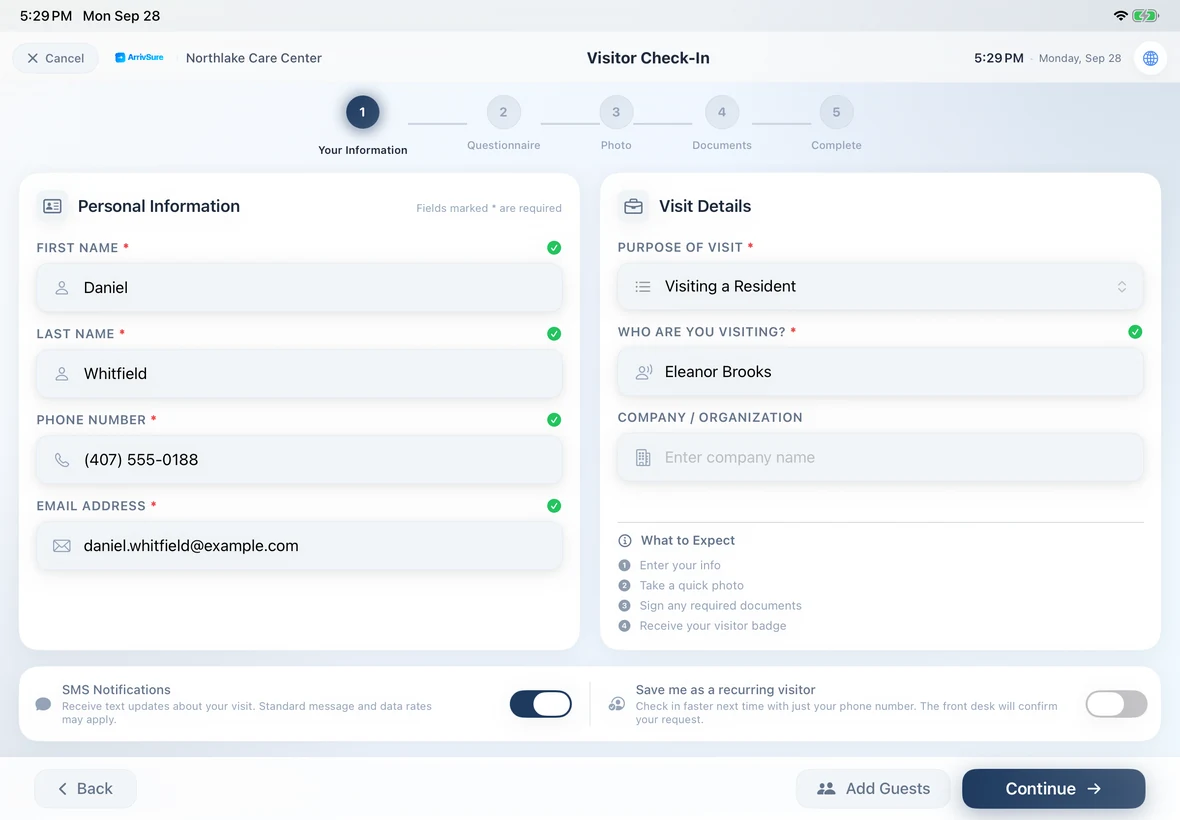
Returning families check in in seconds with a QR code on their badge or Wallet pass, or just their phone number or email. Vendor credentials are tracked at the door. A low family rating reaches your team right away, and every visitor gets the same Google review invitation by email or text. $249 per community per month.
- Returning families in seconds
- Private family surveys
- Surveyor-arrival alerts
Check-in figures: Avante at Inverness, 30 days. Location count as of September 2026. Review time reported by Avante.
Make every family visit feel familiar, and keep the record
Returning families scan the QR code on their badge or Apple Wallet pass, or look themselves up by phone or email, so their details are already filled in. You decide which questions and signatures they repeat. The moment they check in, the right staff member gets a push, text, or email.
- Returning families skip the typing
- Every visit’s questions and signatures on record
- Staff alerted when a family arrives
Survey day shouldn’t start with a surprise in the lobby.
State surveys (AHCA, here in Florida) are unannounced. With ArrivSure, the check-in at your front door is your first heads-up, so your executive director knows surveyors are here before anyone comes looking.
Surveyors check in like anyone else
Add “State survey” as a visit purpose. Surveyors choose it at the kiosk, get a badge, and are on the record with an arrival time.
The right people hear about it right away
An alert rule sends a Companion app push, a text, or an email to whoever you pick.
Or tell the whole building in one tap
Send the ready-made “Surveyors On-Site” alert by email and text from the dashboard or the Companion app.
- Lobby kioskVisitor checks in · Purpose: State survey
- Executive & wellness directorsPush alert: State survey team checked in
- All staff“Surveyors On-Site” sent by text and email
- Front deskSurveyors on the live dashboard with badges
Open houses, family nights, and tours without the clipboard
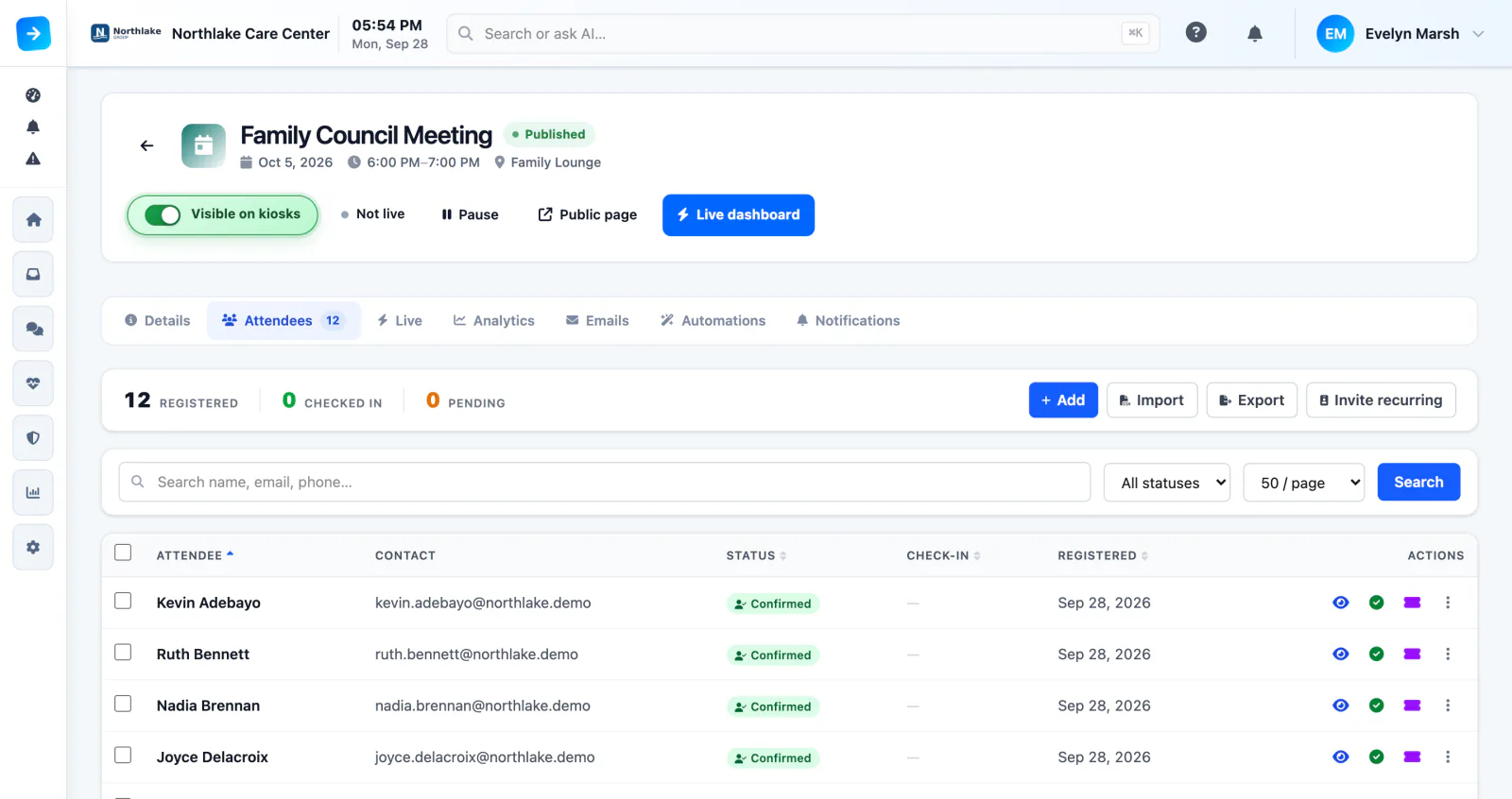
Invite families and prospects, take registrations, and check guests in by QR code at the door. Everyday tours can have their own visit purpose, so whoever gives them hears the moment a prospective family arrives.
- Invitations, registration, and digital tickets
- QR check-in, with registrations and capacity at a glance
- Tours as their own visit purpose, with an alert
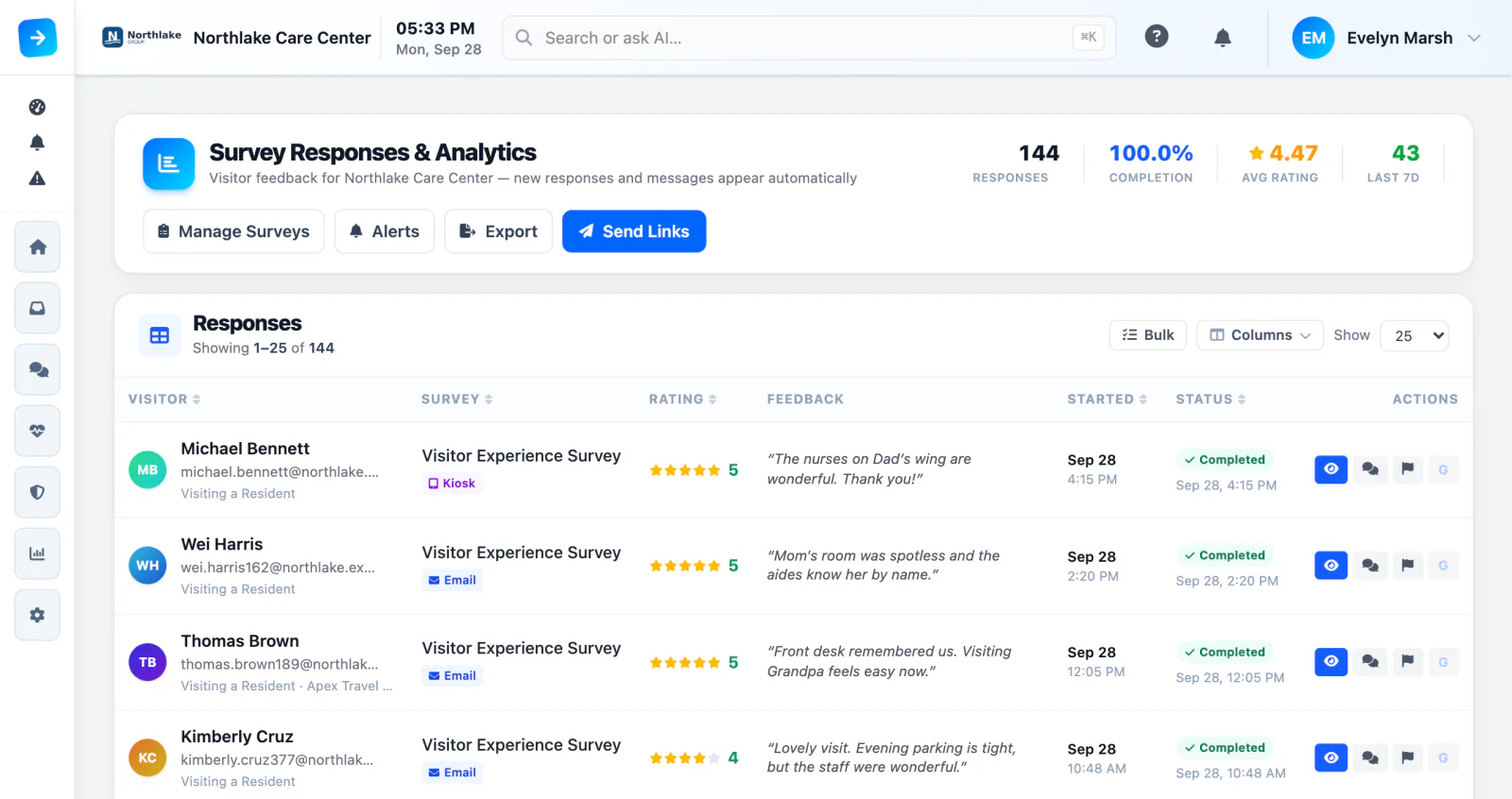
Turn checkout into a private family feedback loop
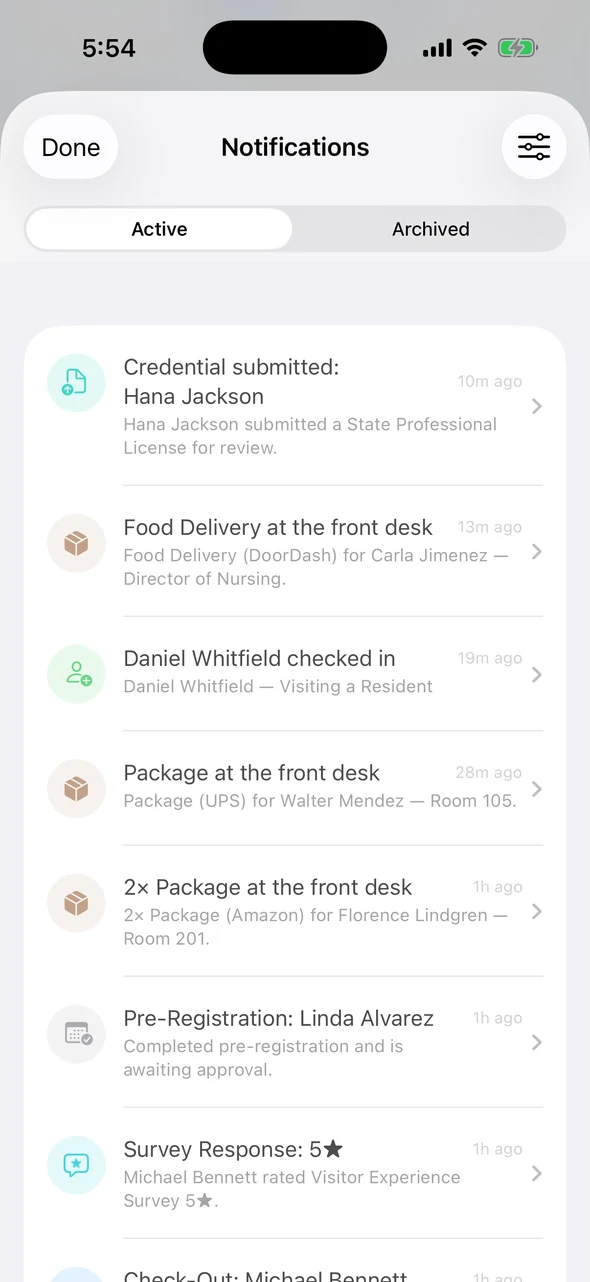
Families rate the visit on the kiosk as they check out. A low score alerts the people you choose. Separately, every visitor gets the same Google review invitation by email or text after they leave, whatever they rated.
- Survey answers tied to each visit
- Low-score alerts to the staff you choose
- Feedback trends across all your communities
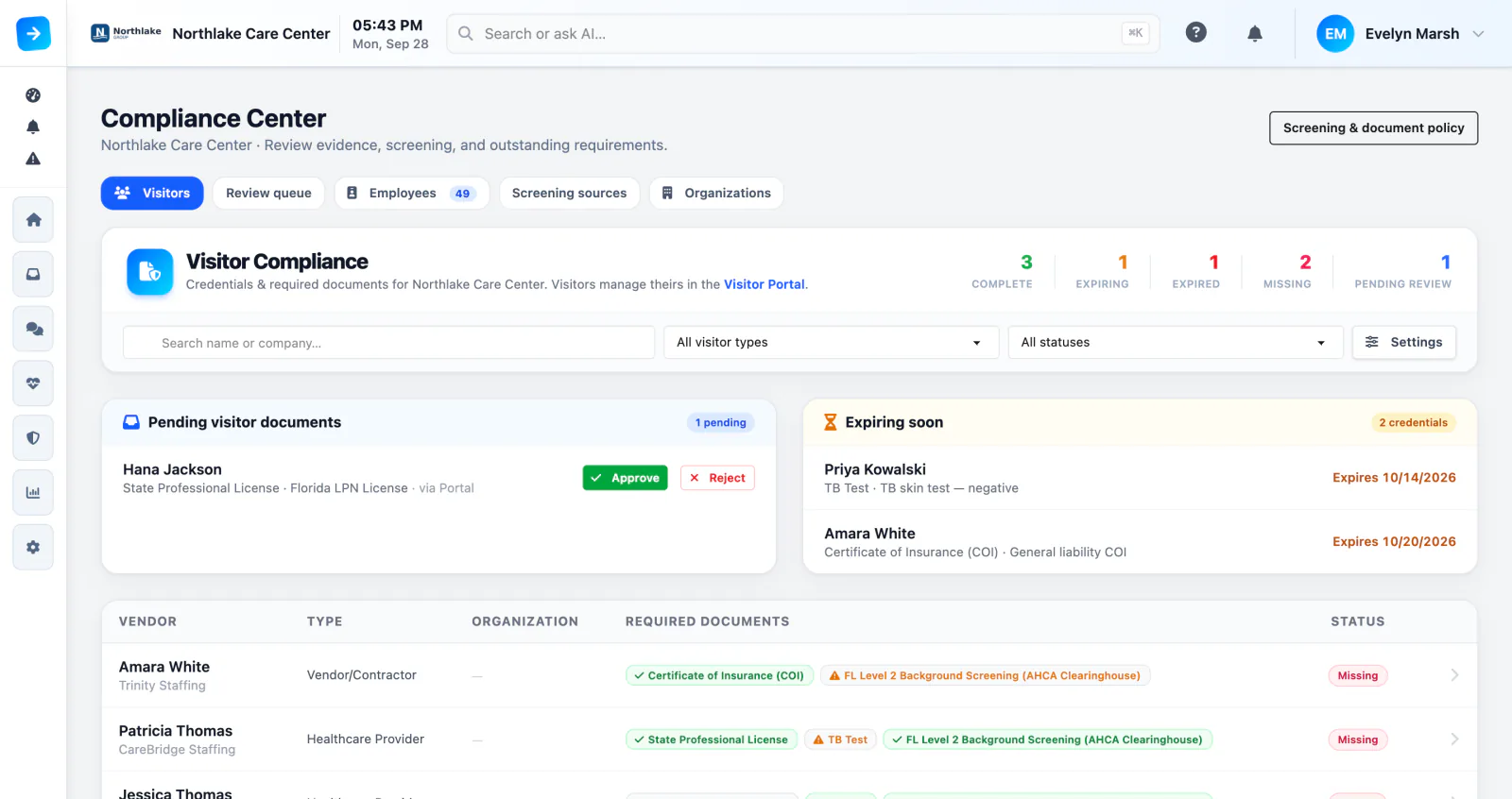
Keep routine visits moving. Flag the ones that need a second look.
Store each vendor’s background-check record, status, and expiry date, and flag anything missing or expired. If someone on your watch list checks in, the kiosk pauses and quietly alerts staff. Your team decides what happens next.
- Background-check records and expiry dates
- Watch-list matches sent to designated staff
- Searchable visit history, signatures, and acknowledgements
Everything families and staff touch, in one place
Included in $249 per community per month.
Time-limited restrictions
Record a restriction with notes and an optional end date, so staff know before the visit goes ahead.
Staff recognition
Families can thank the team members who helped, from the kiosk or the Visitor Portal.
Photo badges
Badges print on Brother label printers, and the front desk can reprint one anytime.
Who’s here, and an evacuation roster
A live on-site list, and an evacuation roster that prints to any printer.
Rules for each community
Each community keeps its own visitor types, questions, documents, alerts, and branding.
Reports across communities
Traffic, visit purposes, and family feedback for every community you run.
More for assisted-living teams
Avante customer story
See how Avante Group runs ArrivSure across 10 Florida locations.
Read the Avante storyEarning more Google reviews
Why happy families rarely post reviews, and how to ask every visitor the same way.
Read the articleEvaluating Accushield?
Compare published pricing, hardware approach, family feedback, and staff tools side by side.
See the comparison
Assisted-living visitor management FAQ
Do returning family members have to repeat every step?
No. Returning families scan the QR code on their badge or Apple Wallet pass, or look themselves up by phone or email, and their details carry over. You decide which questions, documents, or signatures they redo.
Can we know the moment surveyors arrive?
Yes. Add “State survey” as a visit purpose and set an alert rule. When a surveyor picks it at the kiosk, your executive director and wellness director get a push, text, or email. You can also send the ready-made “Surveyors On-Site” alert to all staff from the dashboard or the Companion app.
How are low survey scores handled?
A low rating sends an alert to the staff you choose, so someone can follow up right away. Separately, every visitor gets the same Google review invitation by email or text after they leave, whatever they rated.
Does ArrivSure run background checks?
No. ArrivSure stores each vendor’s background-check record and expiry date and flags anything missing or expired. Your screening provider runs the check.
Does the kiosk unlock assisted-living doors?
No. ArrivSure checks visitors in and alerts staff. It doesn’t control your doors.
Can every community use different rules?
Yes. Each community can have its own visitor types, questions, documents, alerts, branding, and staff permissions. You can copy one community’s setup to start the next.
What hardware is required?
An iPad and Wi-Fi. Badge printing is optional and uses Brother label printers. Or choose Managed Kiosk, and we supply and set up the iPad, stand, and printer.
What does it cost?
Software Only is $249 per community per month, month to month, with annual agreements available. Managed Kiosk, with the hardware supplied and managed by us, starts at $299 per community per month on a 36-month agreement.
PUBLISHED PRICING
Your iPad or ours, for your communities.
Run ArrivSure on an iPad you already own, or let us supply and set up the iPad, stand, and badge printer. Managed Kiosk includes the full platform, remote device management, and hardware support.
Software Only: $249/location/month
Month to month on your own iPad · annual agreements available
Managed Kiosk: from $299/location/month
36-month agreement · one managed kiosk per location