Everyone in the building, live. No clipboard, no refresh.
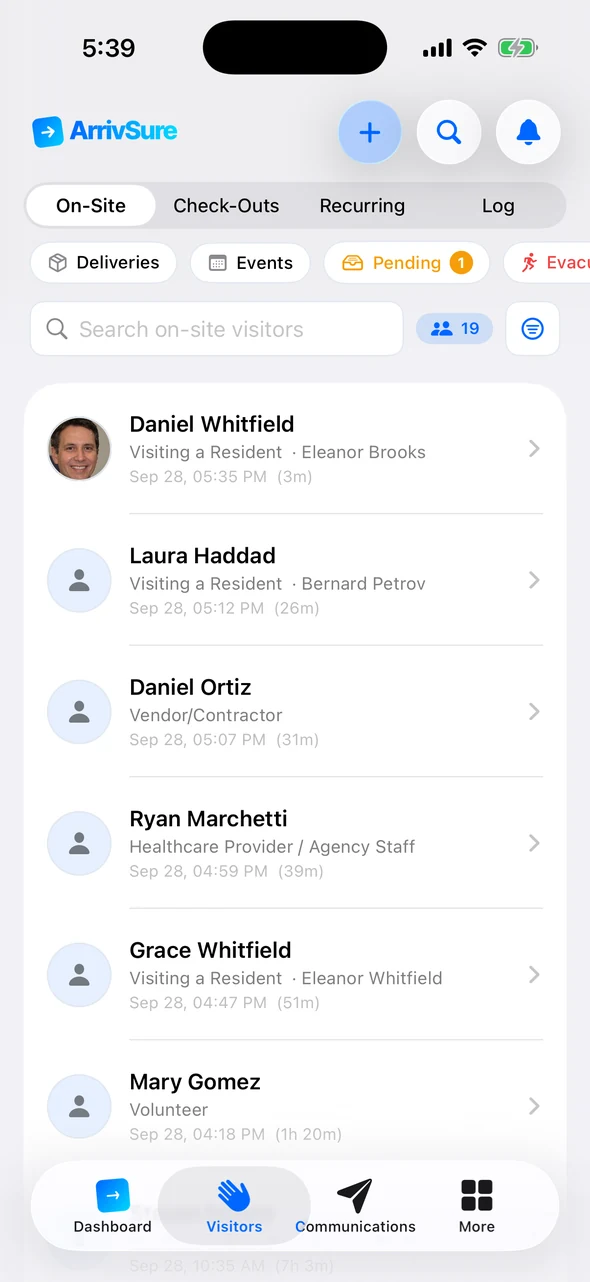
The moment a family member or agency nurse checks in at the kiosk, they’re on the front desk’s screen with their photo, who they’re visiting, and how long they’ve been here. Check them out, reprint a badge, or message their host in one click.
- Live, with no refresh button
- One-click checkout and reprint
- Included in $249 per location
Watch the front desk keep up without a refresh
A check-in lands live, the full record opens in one click, and every past visit is a search away.
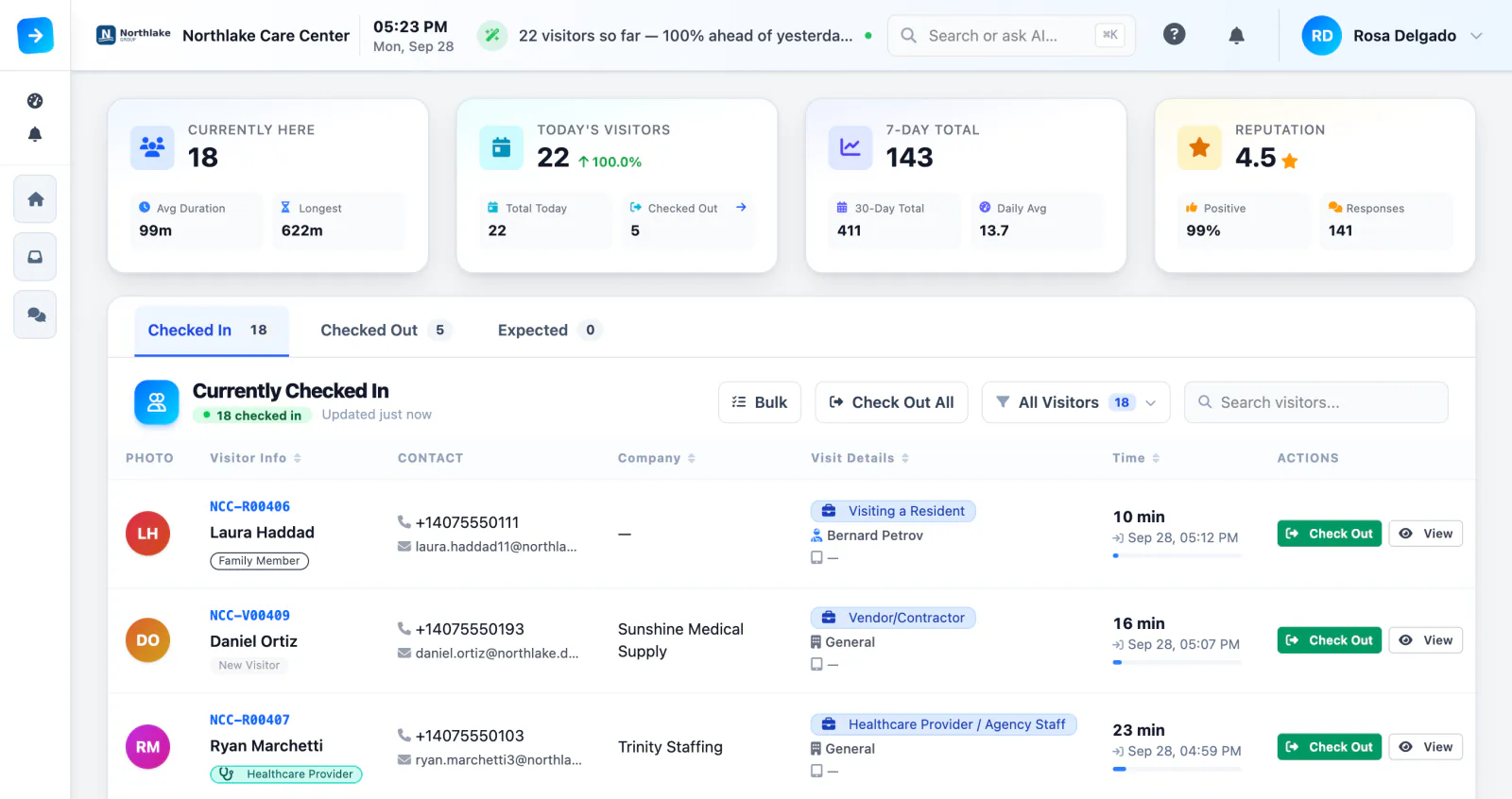
A live list of everyone in the building
Check-ins and checkouts land on the list the moment they happen. Each row shows who they are, who they came to see, and how long they’ve been on site, with long stays turning amber at two hours and orange after three.
- Live updates, no refresh needed
- Length-of-stay colors you can spot from across the desk
- Check Out and View on every row
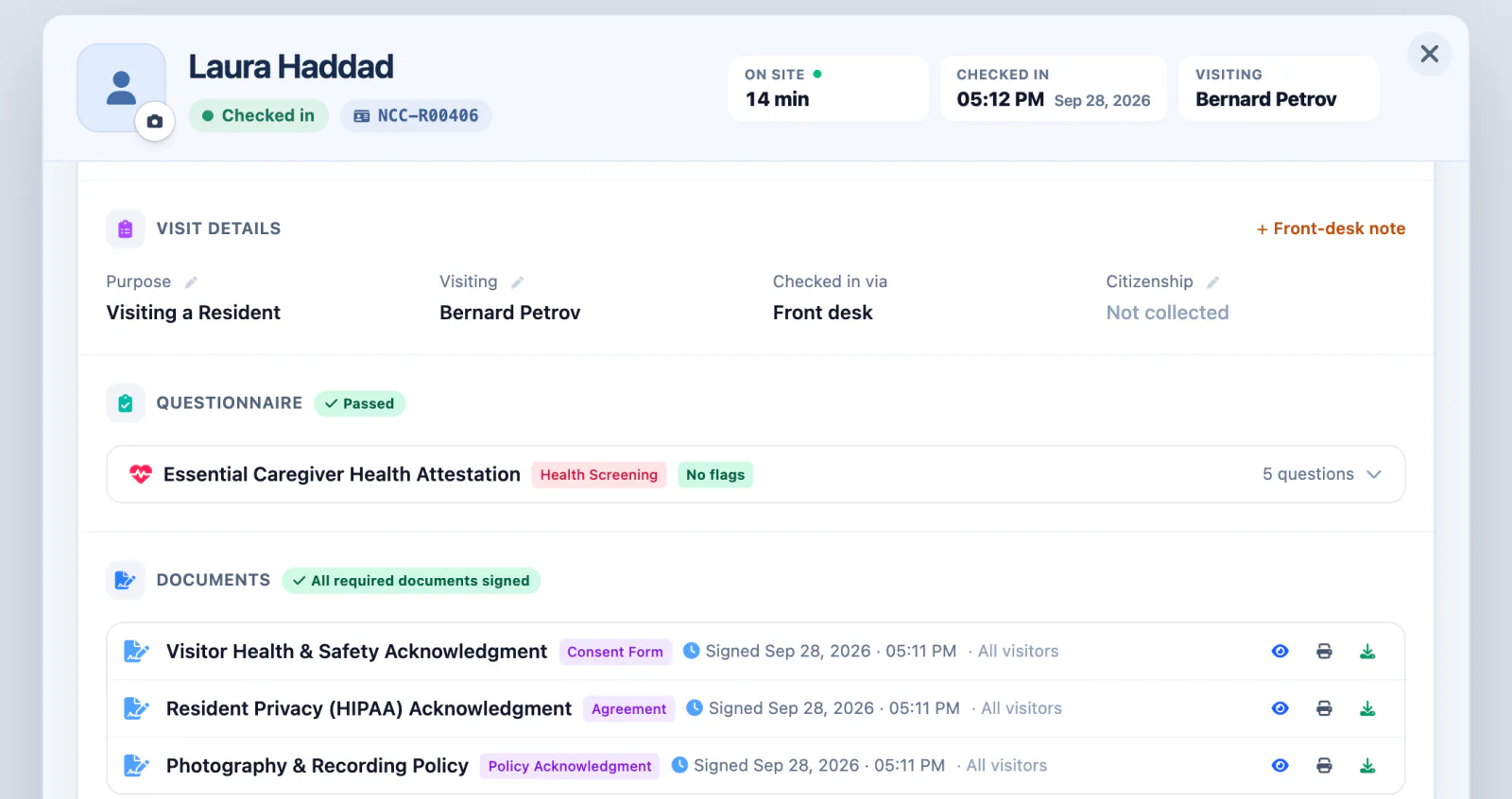
Everything about a visit, in one place
Open any visitor to see their photo, who they’re visiting, how they checked in, their screening answers, and every document they signed, with the time they signed it. Add a front-desk note for the next shift.
- Screening results at a glance
- Signed documents to view, print, or download
- Reprint a badge or message the host from the record
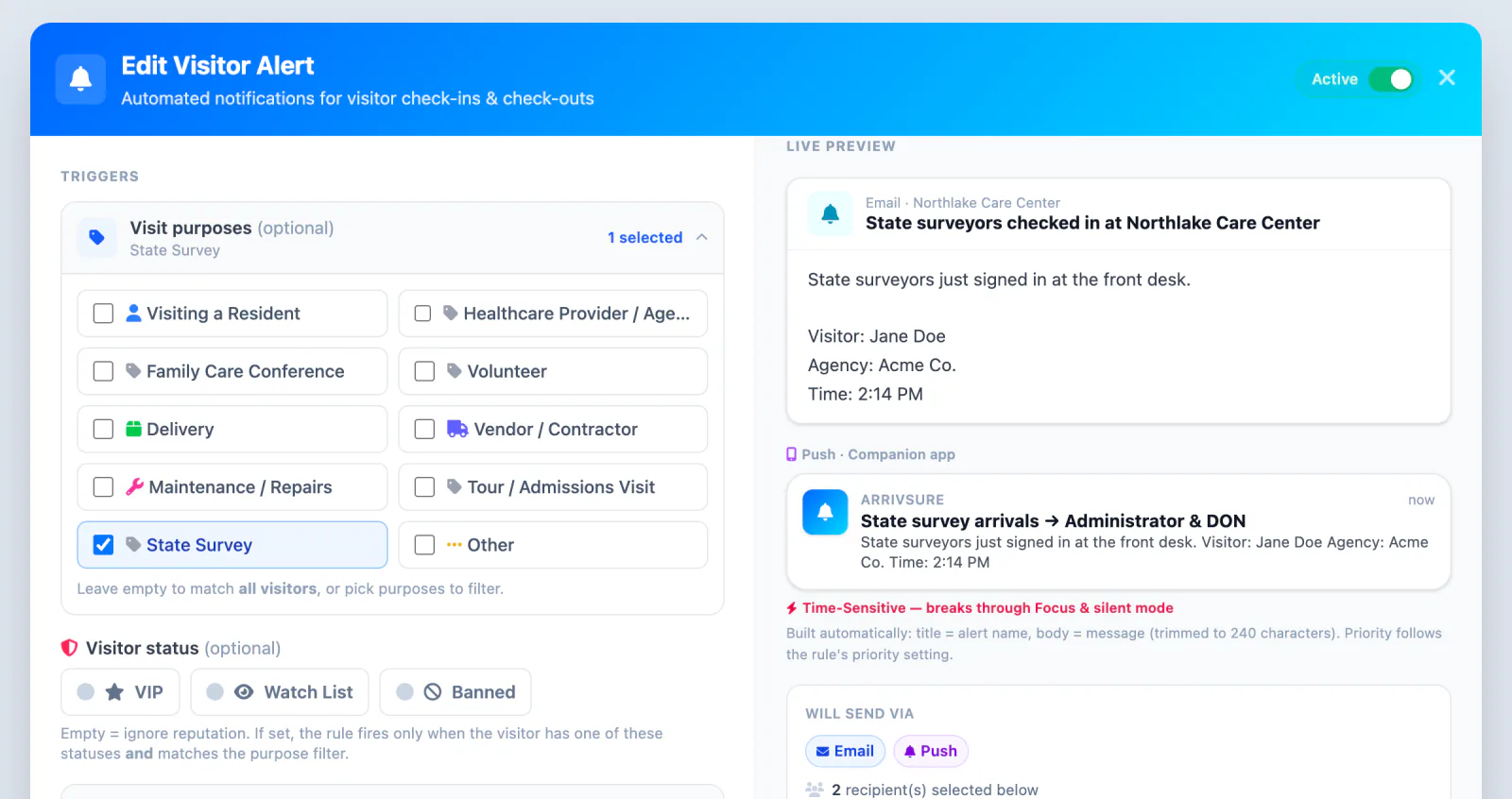
Decide who hears about which visits
Make State Survey a visit purpose, and a rule can alert your Administrator and DON the moment surveyors sign in at the desk. The same rules cover VIPs, watch-list matches, vendors, or any purpose you choose.
- Rules by visit purpose or visitor status
- Push, text, or email to the staff you pick
- High-priority alerts break through Focus on iPhone
The evacuation roster, on any screen
During a fire drill or a real evacuation, open the roster of everyone checked in right now, with their badge number, phone, company, visit purpose, and check-in time. Pull it up on the desk computer or a staff iPhone, or print it on any office printer.
- One click from the dashboard
- On screen, on a phone, or printed
- Text or email everyone on site from the roster
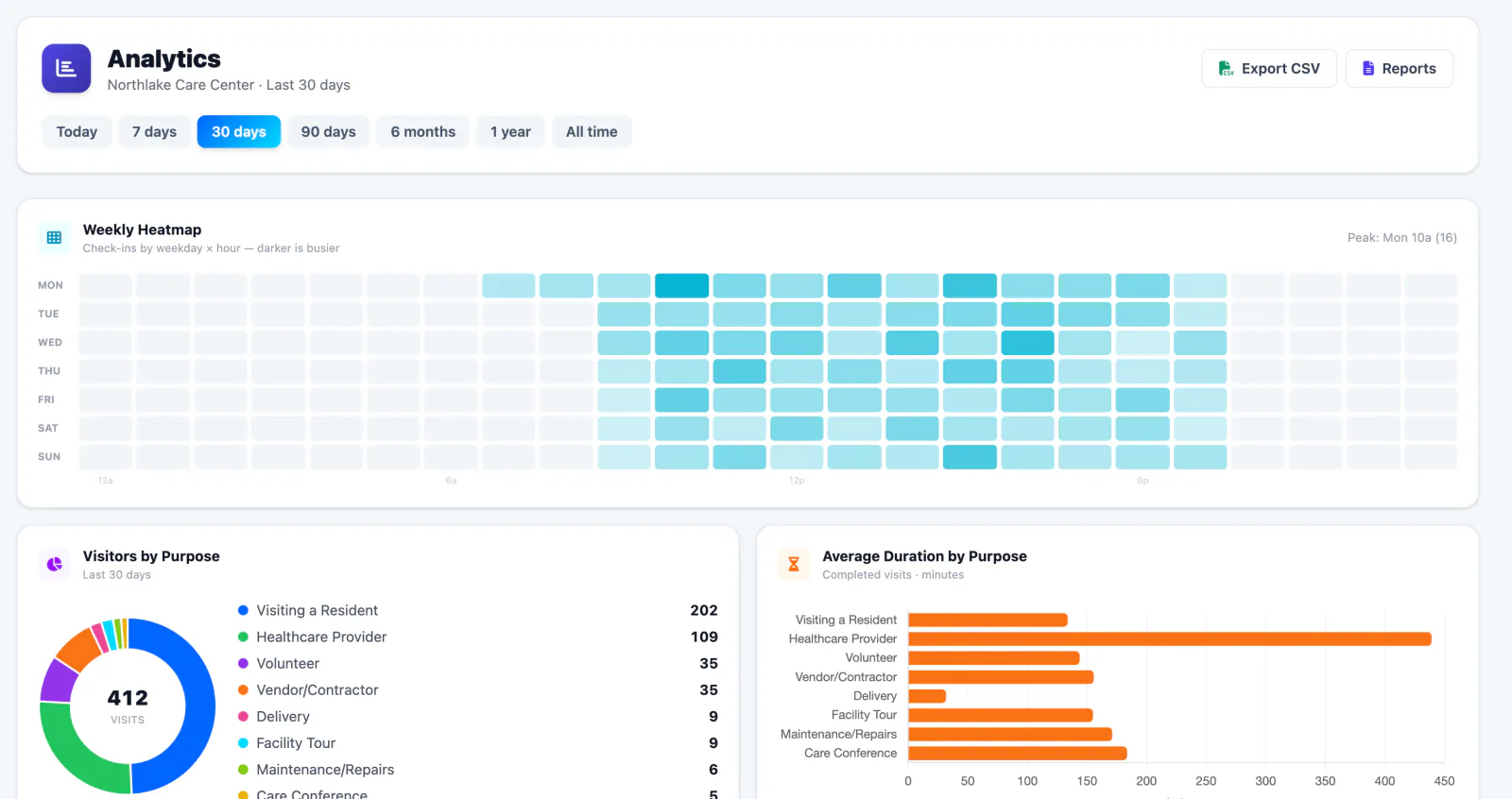
See your busiest hours, and every location
The same visit history shows when your lobby is busiest, why people come, and how long they stay. Regional teams see all their locations together, then drill into one building.
- Weekly heatmap and visits by purpose
- All-locations view for regional teams
- Export to CSV or open a report in one click
Built for a busy front desk
Everything below is included with every plan.
Walk-ups from the desk
Check someone in at the front desk when they skip the kiosk, with the same record and badge.
Find any visit
Search by name, phone, email, badge, resident, company, or visit purpose.
End-of-day checkout
Check out everyone still on the list in one click when the lobby closes.
Badge reprint
Lost badge? Send it straight back to the kiosk’s printer from the visitor’s row.
Unsigned documents
See who still owes a signature and collect it before they leave.
Scheduled reports
Visit history as a CSV for surveyors and audits, or a report emailed on a schedule in CSV or Excel.

Check-in figures: Avante at Inverness, 30 days. Location count as of September 2026. Review time reported by Avante.
Next in the visit
Next: Alert the right person
The people who need to know hear about it on their phone, wherever they are.