Your PBJ hours start at the front door.
Agency staff and contract providers check in at the kiosk, and their visits become PBJ work entries. Providers sign off, your team reviews, and you download the XML for iQIES. No more rebuilding the quarter from a paper log.
- PBJ XML for iQIES
- Provider sign-off built in
- Included in $249 per location
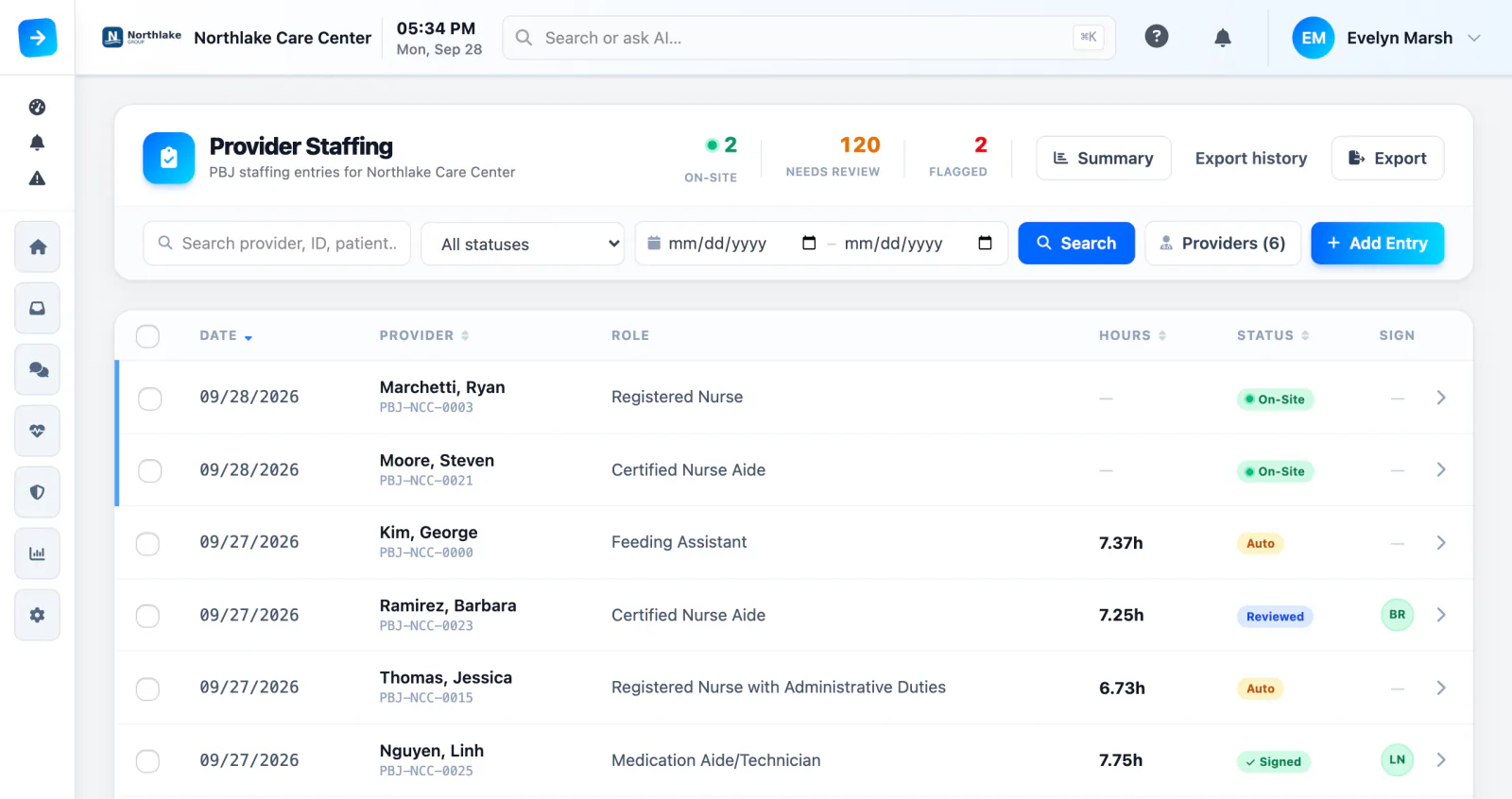
Every agency shift becomes a PBJ entry
An agency nurse, therapist, or physician checks in at the kiosk like anyone else. When they check out, the visit becomes a draft work entry with the right CMS job code, NPI, and pay type. Then the provider confirms their own hours.
- Draft entries from kiosk check-in and checkout
- Job code, NPI, and pay type from the provider’s profile
- Sign-off at the kiosk, by text or email link, or in the Visitor Portal
- 7:02 AMAgency nurse checks in at the kioskSame iPad as every other visitor
- 3:18 PMChecks out at the end of the shiftHours come from the check-in record
- DraftDraft PBJ work entry createdCMS job code, NPI, and pay type from the provider’s profile
- SignedProvider signs off on the hoursAt the kiosk, by text or email link, or in the Visitor Portal
Fix it before it’s in the file
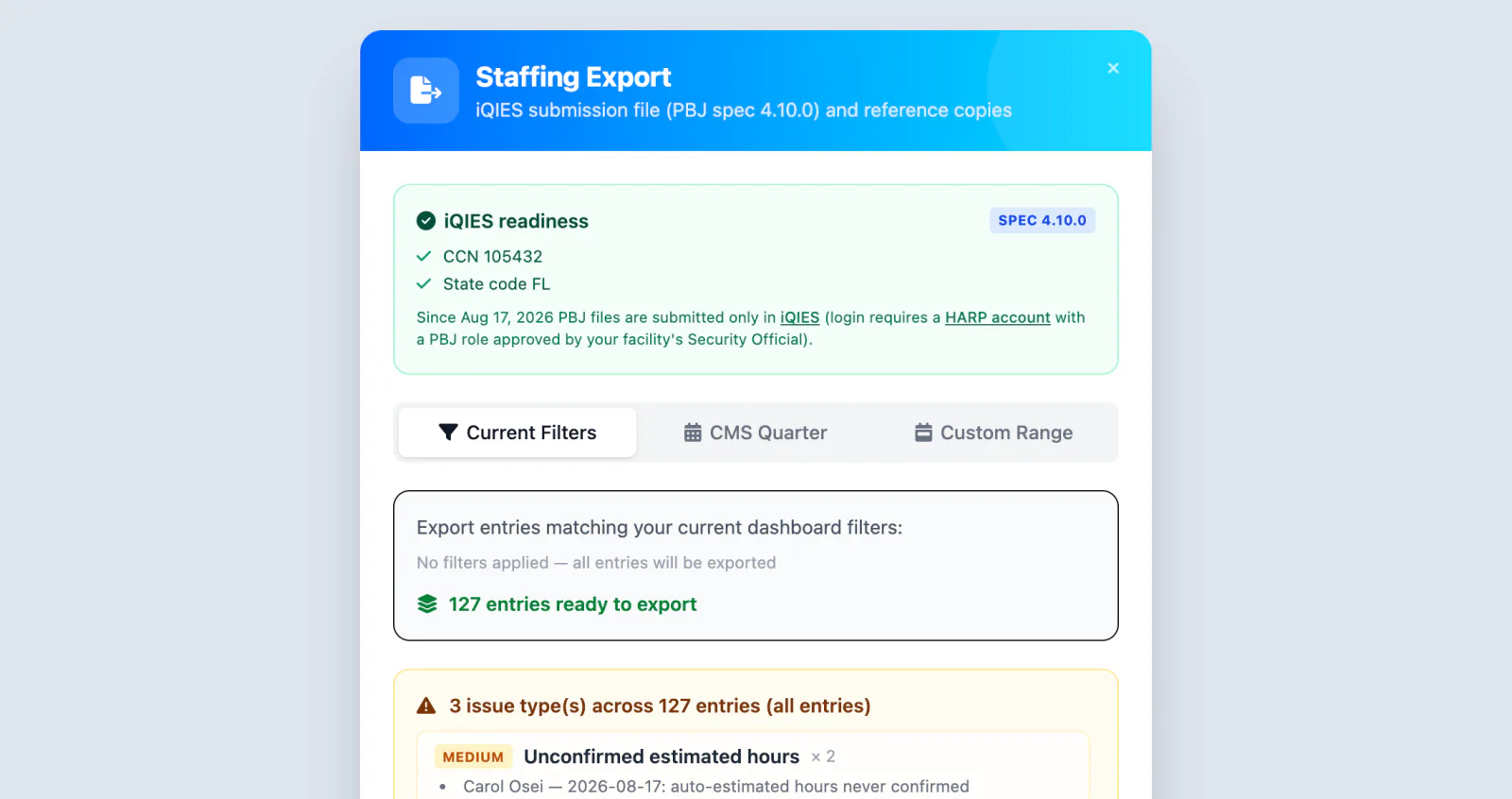
Pre-export checks flag missing sign-offs, missing IDs, and days over the hours cap. When it’s clean, download the PBJ XML for iQIES. Exported entries lock, so no one edits them after the fact.
- Unsigned and estimated hours called out
- PBJ XML (spec 4.10.0) for iQIES, plus review CSVs
- Entries lock after export
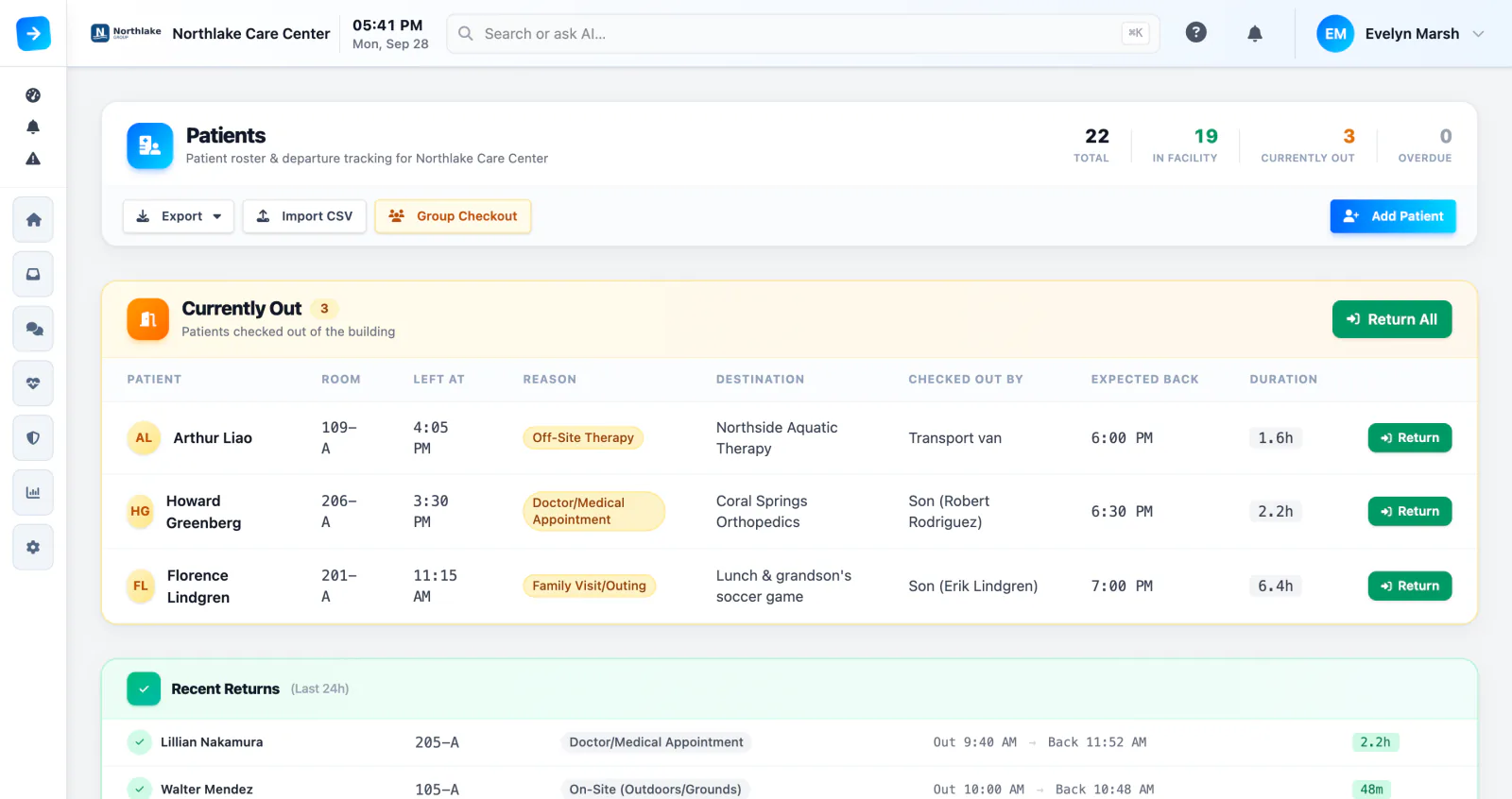
Know who’s out, and who’s late getting back
Track every resident by room, bed, and care level. Log departures for appointments and outings, and get an alert when someone isn’t back on time. Overdue returns are checked every 5 minutes.
- Departures and returns for appointments and outings
- Group checkouts for trips and events
- Overdue-return alerts when someone isn’t back
Built for skilled nursing compliance
Everything below is included with every plan.
One kiosk for everyone
Agency staff check in at the same iPad as families and vendors, with their own questions and documents.
Credentials at the door
If an agency nurse’s license has lapsed, the kiosk can warn the front desk or stop the check-in until it’s current.
Built-in registry lookups
Look up your facility’s CCN from CMS data and match each provider’s NPI against the national NPPES registry.
Review PBJ from your phone
Review and approve provider hours, send sign-off links, and export a CSV from the Companion app. Download the CMS XML from the web.
Automated patient feed
Sync the resident roster by MRN over secure SFTP, or import a CSV to get set up fast.
Documented by default
Every entry, sign-off, and export is logged, so you can show exactly how the hours were built.
PBJ and healthcare questions
Does ArrivSure submit PBJ data to CMS?
No. ArrivSure builds and checks the PBJ XML file. Your team reviews it and submits it through iQIES.
What happens when a provider forgets to check out?
Overnight, ArrivSure closes the open shift with estimated hours, flags it for review, and sends the provider a sign-off link. Your team corrects the hours before export, and pre-export checks call out anything still unsigned.
Does NPI matching verify a provider’s license?
No. It confirms the NPI matches the national registry. License and credential checks live in Credentials & Screening.
How do providers sign off on their hours?
At the kiosk, from a one-time text or email link on their phone, or in the Visitor Portal.
Does ArrivSure replace our EHR or payroll system?
No. It captures who was in the building and for how long, and turns provider visits into PBJ-ready hours.
Check-in figures: Avante at Inverness, 30 days. Location count as of September 2026. Review time reported by Avante.