In this article
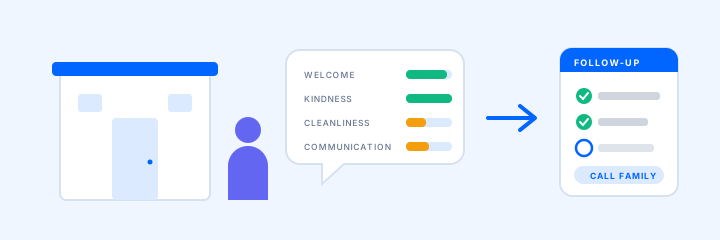
Monday morning, the business office manager opens the weekend's survey responses. Most are fours and fives. A son rated communication two stars because nobody called him back about his mother's new medication. A daughter rated the visit four stars and wrote that her father was "on the floor by the bed when I walked in." Two families named the same weekend aide.
Reading them takes ten minutes. The feedback program is everything after that: who owns each response, how fast the family hears back, and whether anyone, family or staff, learns what changed.
We covered why to ask families, and what to ask, in What Are Families Really Saying About Your Facility? This post is the operating side, for administrators and the business-office or guest-relations staff who run the queue.
Set up the trigger so families actually answer
Families answer when it costs them almost nothing. Four setup decisions do most of the work:
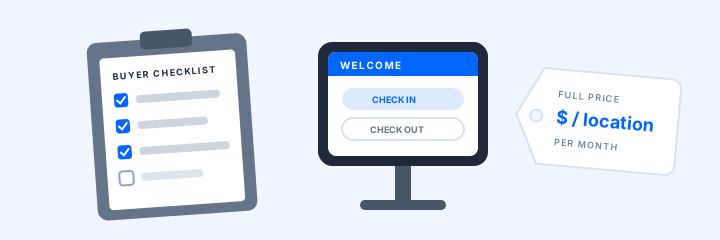
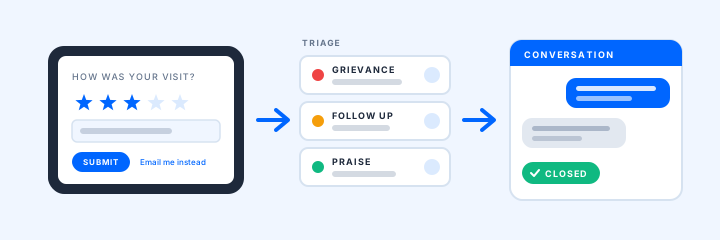
- Ask at checkout. The survey starts on the kiosk as the family member checks out. Anyone in a hurry can tap Email Me Instead and answer later.
- Match the survey to the visit. Different visit purposes can carry different surveys, so a family visit and a tour can ask different questions. Keep family surveys short.
- Reach families who rarely come in. Assessments supports public and email forms for family members who aren't in the building.
- Name an owner per building. One person watches the queue each day, with a backup. A response nobody owns waits.
Triage: rules and sentiment sort, a person decides
Set alert rules once. A low rating, a "no" to a question such as "Did you feel informed by the care team?", or a comment containing a word like "fall" or "rude" can send a push, text, or email to the staff you choose. Point each rule at someone who can act: the communication question to the unit manager, cleanliness to housekeeping.
Then sort each response:
- Possible grievance or safety concern. It goes to your abuse-prevention and grievance procedures now, whatever the score. In skilled nursing, federal rules require a Grievance Official who tracks grievances to their conclusion, written grievance decisions, and immediate reporting of alleged abuse or neglect.
- Fixable concern. An owner and a reply within your own target, such as one business day.
- Praise. It goes to the person named.
- Read, no action. Most responses land here.
The word cloud and sentiment view shows what families keep mentioning. Use it to spot themes, not to judge one response.
Follow-up: reply from the response, then close it
Staff can email back and forth with the family right from the survey response. A good first reply names a person and a time: "Thank you for telling us about the medication call. Our unit manager will call you by 3 PM tomorrow." Keep care details for the call, under your privacy policy, and use email for scheduling and the summary.
- Same day Reply from the response with a name and a time.
- Next business day The owner checks with the department and calls the family.
- Close-out Tell the family, in writing, what you found and what changed.
- Thirty days later Check the score trend to see whether the fix held.
Close the loop with families and with staff
A close-out answers one family. A short "you said, we did" summary for the family council or newsletter answers the rest. In skilled nursing, federal rules already require facilities to consider a family group's views, act promptly on its grievances and recommendations, and be able to demonstrate their response.
Staff need the loop as much as families do. Pass named praise to the person and their supervisor, and bring complaint themes to stand-up as process problems, not blame. To hear the staff side, Assessments can run an anonymous employee survey.
Federal QAPI rules for nursing homes require policies for obtaining and using feedback from staff, residents, and resident representatives. Score trends, location comparisons, and CSV exports bring survey data to that meeting. Assisted living rules vary by state, but the same rhythm works.
Keep the review invitation on its own track
Survey answers never decide who is asked for a public review. The FTC's guidance for marketers is plain: "Don't ask for reviews only from customers you think will leave positive ones." Google's policies likewise prohibit selectively soliciting positive reviews. Don't turn a resolved complaint into a special review request; the invitation already went to everyone. More in our guide to earning Google reviews.
Sources and current guidance
Last reviewed October 12, 2026.
- 42 CFR 483.10(f)(5) and (j): family groups and grievances
- 42 CFR 483.75(c): QAPI feedback systems
- FTC, Soliciting and Paying for Online Reviews: A Guide for Marketers (2022)
- Google Maps review and engagement policies
ArrivSure supports workflow and recordkeeping; it does not by itself establish compliance with grievance, QAPI, or review-platform rules.
Want to see the survey-to-follow-up workflow in your own building? Request a demo.
Request a 20-Minute Demo