In this article
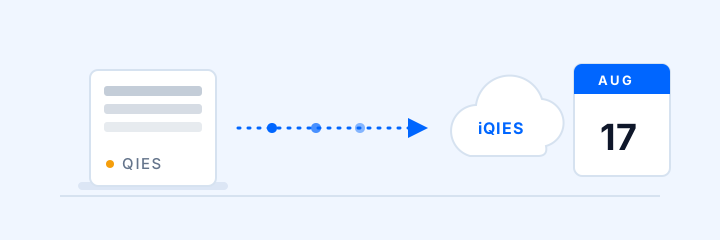
If your facility has not yet moved its Payroll-Based Journal process to iQIES, there is no old system to fall back on. CMS moved PBJ submissions to iQIES on August 17, 2026, and legacy QIES went dark on September 15, 2026.
Confirm now that every submitter can log in, has the right role, and can produce the current file format. Here is the transition record and a checklist to run well before the first all-iQIES deadline.
The transition timeline
| Date | What happens |
|---|---|
| April 1, 2026 | PBJ Data Specifications v4.10.0 enforced — older XML versions are rejected |
| August 14, 2026 | Final QIES submission deadline (Q3: April 1 – June 30 data) |
| August 17, 2026 | iQIES becomes the submission system; QIES becomes read-only |
| September 15, 2026 | Legacy QIES retired, including its PBJ reports |
| November 14, 2026 | First deadline submitted entirely through iQIES (Q4: July 1 – September 30 data) |
Note what that last row means: the July–September quarter is the first that must go entirely through iQIES, due November 14. The hours your contract therapists and agency nurses logged this summer will be reported through a system many facilities haven't opened yet.
During the cutover window from July 1 through August 16, Q4 submissions were not accepted in either QIES or iQIES. Teams that normally submit early should test their Q4 workflow in iQIES now.
What changed in the v4.10.0 data specifications
The new specification isn't just a version bump. Two changes are actively rejecting submissions that used to sail through:
Old XML versions are rejected outright. Any file submitted with a spec version other than 4.10.0 bounces. If your PBJ vendor or in-house export hasn't been updated, you'll find out at the worst possible time — the submission deadline.
The 22.5-hour daily cap has two validations. Version 4.10.0 enforces the cap per Employee ID through fatal edit -4025. Since August 17, iQIES also enforces the cap across linked Employee IDs under one System Employee ID through system error -1025. A duplicate invoice line or a shift keyed to the wrong date can therefore cause a submission problem.
The takeaway: confirm your export uses v4.10.0 and check the latest CMS validation notes before you submit.
Your iQIES readiness checklist
Use this post-cutover checklist now so access, role, and export problems surface well before the November 14 deadline:
The data problem underneath the system problem
Here's the uncomfortable truth the migration exposes: the submission system was never the hard part. The hard part is the data — specifically, the contract and agency hours that live in invoices, sign-in sheets, and someone's memory rather than in your payroll system.
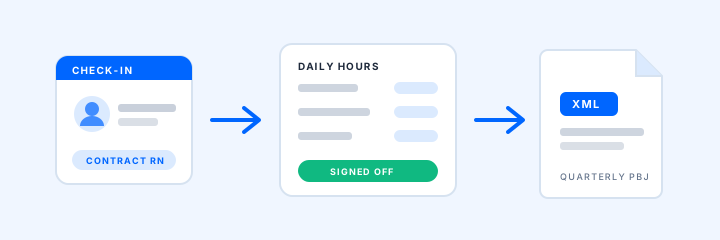
We covered the full mechanics in our practical guide to PBJ reporting, but the short version: many contract providers already pass through your front desk. When check-in captures who they are, what role they're working, and when they arrived and left, your team has a structured, timestamped source record to review for PBJ.
That's how ArrivSure's healthcare module works. A completed provider visit becomes a draft work entry with the CMS job code. The provider signs off on the hours, your team reviews them, and ArrivSure exports v4.10.0 XML ready to upload to iQIES.
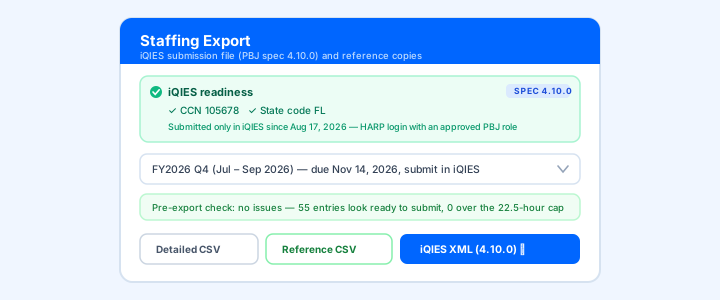
At Avante Group's Florida facilities, the team reports that provider-hour review went from hours to minutes once contract hours started at check-in.
Sources and current guidance
Last reviewed September 28, 2026.
- CMS PBJ data-submission page
- QTSO transition notice for PBJ in iQIES
- QTSO confirmation that PBJ functionality is available in iQIES
- QTSO corrected onboarding notice for HARP, roles, and PSO approval
Confirm current specifications and deadlines with CMS and your compliance advisor. Your team still decides which hours are reportable.
Want to see how the workflow would fit your next PBJ quarter? Request a demo and we’ll map it to your facility’s process.
Request a 20-Minute Demo