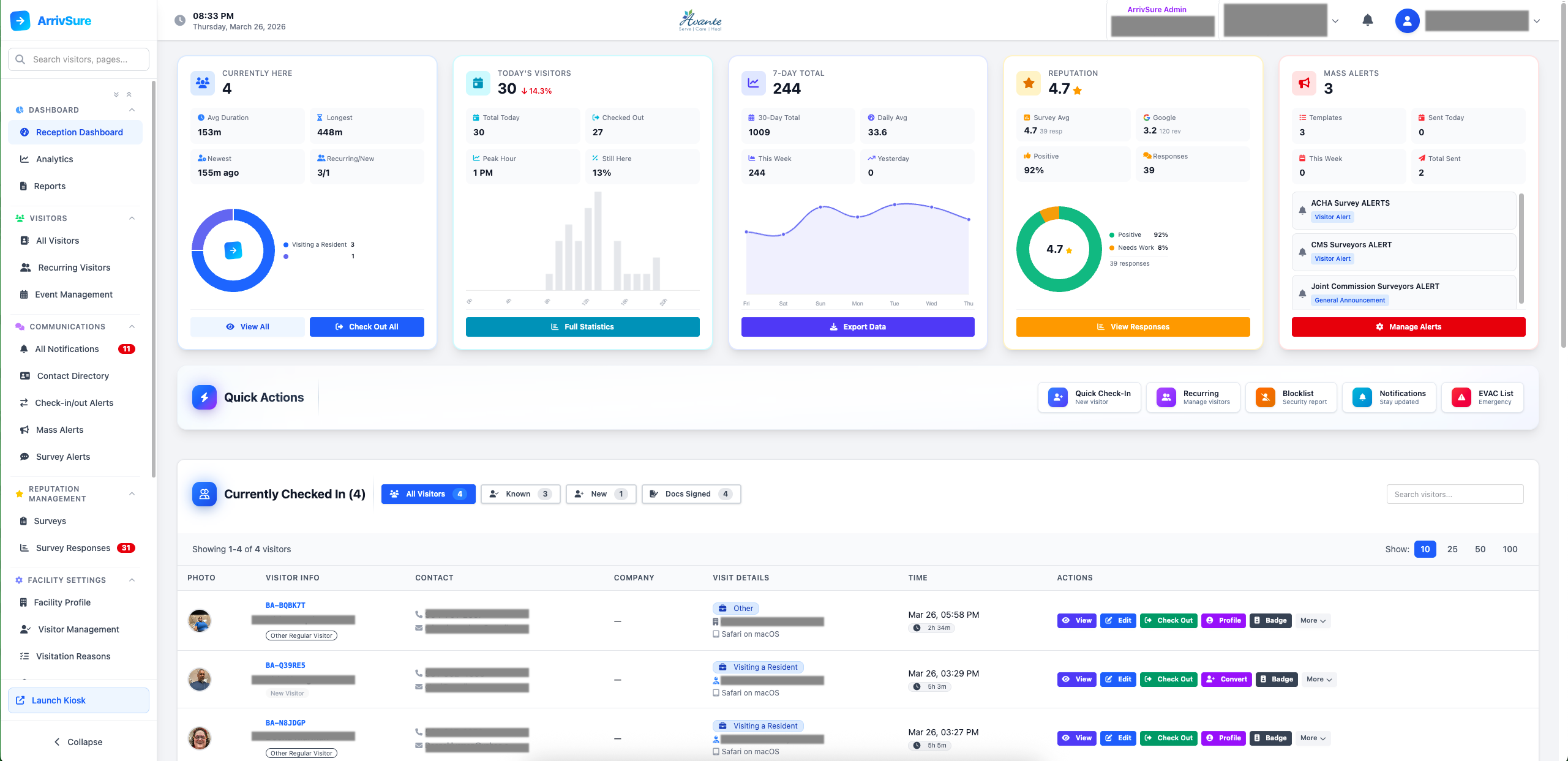
The ArrivSure Reception Dashboard gives staff a live, WebSocket-powered view of every visitor on-site. Quick-action buttons let receptionists check visitors in or out, reprint badges, send notifications, and trigger emergency protocols — all from a clean interface on desktop or tablet.
Search visitors by name, email, phone, or badge number. Monitor traffic patterns, export visitor logs for audits, and manage multiple facilities from one unified view. Color-coded duration indicators flag long-stay visitors, and bulk actions let you check out, message, or request reviews from groups at once.
Capabilities
Complete Command Center
Live Monitoring
Live visitor view with WebSocket real-time updates
Manual check-in/check-out for walk-up visitors
Universal visitor search (name, email, phone, badge)
Color-coded duration indicators for long-stay visitors
Bulk checkout (end-of-day or emergency)
Notifications & Alerts
Configurable SMS, email & in-app notification rules
Host alerts — notify the employee a visitor is here to see
Delivery arrivals with pickup tracking & waiting times
In-app receptionist notifications with snooze & dismiss
Internal visitor notes for VIPs and special instructions
Mass actions: bulk messaging and review requests
Analytics & Reporting
Visitor traffic analytics with peak hours analysis
Emergency evacuation list — screen, mobile, or printed
Multi-facility overview for corporate operators
Visitor data export to CSV for audits & reporting
Benefits
Why It Matters
Real-Time Awareness
WebSocket-powered updates mean you always know exactly who is in your building — no refresh needed.
Operational Efficiency
Quick-action buttons for checkout, badge reprint, and alerts eliminate clicks and save staff time.
Emergency Preparedness
Generate evacuation lists instantly — on screen, on mobile, or printed from any connected printer.
Corporate Visibility
Multi-facility operators get a unified dashboard across all locations with per-facility drill-down.